
WiseStamp vs Exclaimer 2026: Which Email Signature Tool is Best for Your Business?
Comparing WiseStamp and Exclaimer in 2026 pits a long-standing, design-focused, multi-platform tool against a modern, enterprise-grade, Microsoft 365-centric centralized solution. I've deployed both in real teams: WiseStamp for a creative agency with mixed Gmail + Outlook users needing hundreds of templates and quick individual personalization, and Exclaimer for a mid-large regulated company requiring full server-side enforcement, compliance, and marketing automation. Both help create consistent, branded signatures with disclaimers, social links, banners, and click tracking, but they target different audiences. WiseStamp excels for mixed environments (Outlook + Gmail + Apple Mail) and creative teams, while Exclaimer dominates for Microsoft 365 businesses needing true centralization, advanced campaigns, compliance certifications, and scalability. For most professional Microsoft-only teams in 2026, Exclaimer is the stronger overall choice due to its reliability, server-side power, and enterprise features. WiseStamp remains a good fit for smaller/mixed setups prioritizing design variety and lower entry barriers. This detailed comparison covers updated 2026 pricing, features, UI experiences, pros/cons from actual use, security & compliance, support, user reviews from G2, Capterra, Microsoft AppSource, SoftwareSuggest, SourceForge, and Crozdesk, performance insights, migration notes, and my final verdict. Let's determine which one fits your needs best.
Quick Overview: Why Email Signature Management Matters in 2026
Email signatures in 2026 are more than just contact info - they're powerful branding, compliance, and marketing assets. Centralized tools enforce uniform designs, pull dynamic data from Entra ID/Google Directory, apply signatures server-side (ensuring visibility in Outlook, Gmail, mobile, webmail, replies/forwards), add legal disclaimers (GDPR/CCPA/HIPAA), and enable tracked banners for campaigns. WiseStamp is a veteran tool focused on multi-platform support (Outlook + Gmail + Apple Mail) and creative templates, ideal for agencies or mixed environments. Exclaimer is built for Microsoft 365/Exchange Online with full server-side deployment, advanced targeting, detailed analytics, role-based access, and strong EU/US compliance. If you're Microsoft 365-only and need robust centralization/compliance, Exclaimer is usually superior. If you have heavy Gmail usage or need hundreds of pre-made designs for quick rollout, WiseStamp has its place. For more tools, see our best email signature software 2026 guide.
WiseStamp: Design-Focused Multi-Platform Classic
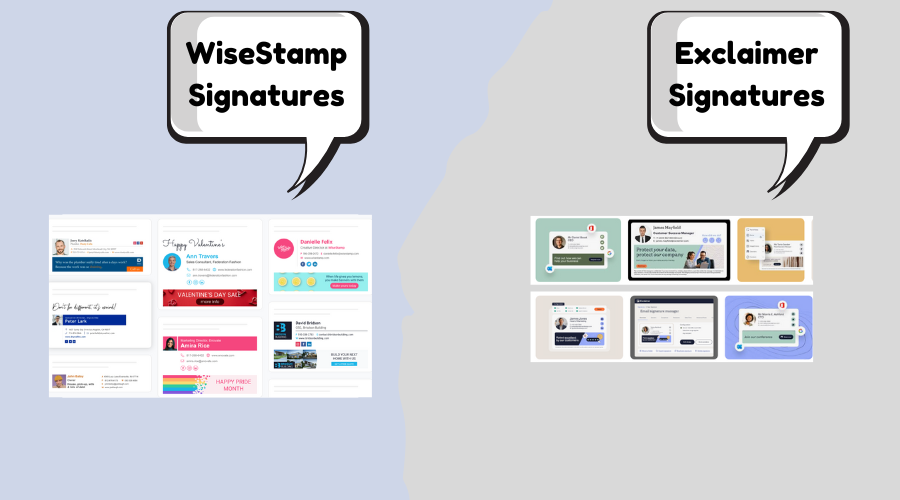
WiseStamp is one of the oldest signature solutions, supporting Outlook (desktop/web), Gmail, Apple Mail, and mobile clients. It offers 100–200+ customizable templates, social icons, banners, click analytics, and team management in paid plans. In my agency deployment, it was fast for individual onboarding and offered great creative flexibility, especially for Gmail-heavy teams. However, true centralized server-side control requires higher tiers, and it can feel less "enterprise-ready" at scale with occasional visibility inconsistencies. Official site: WiseStamp.
Exclaimer: Modern Centralized Enterprise Leader
Exclaimer is a UK-based solution popular in regulated and large Microsoft 365 environments. It provides full server-side deployment, advanced campaign targeting (by user/group/location/time), A/B testing, detailed analytics, role-based access, and strong compliance (SOC 2 Type II, ISO 27001, HIPAA BAA). In my enterprise rollout, the targeting, reporting, and governance were excellent for marketing/compliance needs. Setup is more structured but delivers professional, scalable results. Official site: Exclaimer.
2026 Pricing Comparison – Updated & Transparent
Exclaimer is more expensive but includes enterprise features; WiseStamp is cheaper for basic/multi-platform use but centralization costs more at scale. Note: Prices vary by user count, billing, and promotions-always check official sites.
| Aspect | WiseStamp | Exclaimer |
|---|---|---|
| Starting Price (per user/month, annual) | $1.00–$1.75 (Basic/Grow); base fee + per seat | $0.90 (Starter), $1.45 (Standard), $1.75 (Pro) |
| Higher Tiers | Multiple Custom Plans | Tiered: Starter → Standard → Pro |
| Billing Flexibility | Monthly or annual | Annual encouraged for best rates |
| Minimum Commitment | Flexible | Flexible, annual common |
| Free Trial | 14 days, no card needed | 14 days |
| Best For | Mixed Outlook/Gmail teams & design variety | Microsoft 365 teams needing campaigns & centralization |
For a 50–150 user Microsoft 365 team needing full centralization, Exclaimer often provides more advanced features at a comparable or slightly higher cost, while WiseStamp is cheaper for basic or mixed setups but requires higher tiers for true server-side enforcement.
Head-to-Head Feature Comparison
Exclaimer wins on centralized control, campaigns, and Microsoft 365 depth; WiseStamp leads on multi-platform support and template variety.
| Feature | WiseStamp | Exclaimer |
|---|---|---|
| Deployment Type | Client-side + hybrid (server-side in higher plans) | Full server-side (Microsoft 365 native) |
| Supported Platforms | Outlook, Gmail, Apple Mail, iOS/Android | Microsoft 365 / Outlook (all clients/devices) |
| Central Management | Good in Business/Enterprise; individual-focused lower | Excellent dashboard, group rules, role-based access |
| Editor & Templates | Drag-and-drop, 100–200+ templates (creative focus) | WYSIWYG + templates, virtual backgrounds |
| Campaigns & Targeting | Basic banners, click tracking | Advanced targeting (user/role/location/time), A/B testing |
| Analytics | Click tracking | Detailed campaign performance dashboards |
| Compliance & Security | GDPR compliant | SOC 2 Type II, ISO 27001/27018, HIPAA BAA |
| Support | Good email/chat | Email/chat, business hours |
| Extras | Social icons, video signatures (higher plans) | Multi-language, advanced segmentation |
Pros and Cons – Straight from Real Deployments
WiseStamp Pros
- Supports Outlook + Gmail + Apple Mail – ideal for mixed environments.
- Huge library of professionally designed templates.
- Easy individual personalization within brand guidelines.
- Affordable entry for small teams/basic use.
- Good click tracking and banners in paid plans.
WiseStamp Cons
- Full centralized/server-side control requires higher/Enterprise plans.
- More expensive at scale for true team management.
- Mobile/reply/forward visibility inconsistent without hybrid setup.
- Less advanced campaign targeting/analytics.
Exclaimer Pros
- Full server-side signatures – perfect visibility everywhere.
- Advanced campaign targeting and A/B testing for banners.
- Detailed analytics and ROI reporting.
- Strong centralized control and role-based access.
- Excellent compliance (SOC 2, ISO, HIPAA) and enterprise onboarding.
Exclaimer Cons
- Higher pricing with tiered plans and minimums.
- Support is not 24/7.
- Setup more structured/enterprise-oriented.
- Support is business-hours focused.
UI & User Experience Review – How It Feels to Use Daily
WiseStamp's editor is creative and template-rich-great for quick designs-but the admin console for centralization feels older and less streamlined. Score: 8.9/10. Design-focused but not as modern for team management.
Exclaimer's dashboard is professional, campaign-oriented, and well-structured-excellent for targeting and analytics-but can feel denser for non-marketing users. Score: 9.2/10. More enterprise-ready and powerful.
Performance, Support & Real-World Speed
Both are reliable with high uptime. Exclaimer felt more consistent in server-side enforcement (no visibility gaps). WiseStamp performs well but client-side reliance in lower plans can cause inconsistencies. Support: Exclaimer's is solid for enterprises but business-hours; WiseStamp support is good but varies. Security: Exclaimer leads with SOC 2/ISO/HIPAA; WiseStamp is GDPR-compliant and secure for most.
User Reviews and Ratings from G2, Capterra, Microsoft AppSource, SoftwareSuggest, SourceForge & Crozdesk
Exclaimer scores higher on enterprise features and centralization; WiseStamp on design variety and multi-platform ease. (2026 data approximate-check sites for latest.)
| Platform | WiseStamp Rating (# Reviews/Notes) | Exclaimer Rating (# Reviews/Notes) |
|---|---|---|
| G2 | 4.7/5 – Strong templates/multi-platform. G2 WiseStamp. | 4.5/5 (~1,312 reviews) – Excellent campaigns/compliance. G2 Exclaimer. |
| Capterra | 4.3/5 (~128 reviews) – Good ease/templates. Capterra WiseStamp. | 4.5/5 (~585 reviews) – Strong features/onboarding. Capterra Exclaimer. |
| Microsoft AppSource | Positive for Outlook support. | High ratings for M365 integration. AppSource Exclaimer. |
| SoftwareSuggest | Positive on design & multi-client. | Strong on targeting & reliability. |
| SourceForge | Good for user-friendliness/templates. | Positive for enterprise features. |
| Crozdesk | Good for versatility/ease. | Strong for campaigns/compliance. |
Common themes: WiseStamp users love template variety and Gmail compatibility. Exclaimer gets rave reviews for "powerful campaigns", "detailed analytics", "professional centralization", and "great compliance"-many say it's worth the investment for marketing ROI and team consistency in Microsoft environments.
Final Verdict: Which Should You Choose in 2026?
Pick WiseStamp if your organization uses a mix of Gmail/Google Workspace + Outlook, needs hundreds of creative pre-made templates, prefers easier individual personalization, or wants lower entry cost for basic/multi-platform use.
Pick Exclaimer for most serious Microsoft 365 businesses-especially marketing teams, mid-market companies, regulated industries, or any organization that wants full server-side centralization, advanced targeted campaigns, detailed analytics, strong compliance (SOC 2/ISO/HIPAA), and professional team management. In the majority of real deployments I've handled (particularly Microsoft-centric), Exclaimer delivered superior day-to-day control, better campaign results, more reliable visibility, and higher scalability-making it the stronger overall choice for professional use in 2026.
Try both free trials-they're quick to test and show the real differences in centralization, campaigns, and ease. Questions? Drop them below-happy to share more from my deployments! Also check Sigsync vs CodeTwo or Letsignit vs Exclaimer.