
Crossware vs Exclaimer 2026: Which Email Signature Tool is Best for Your Business?
Choosing between Crossware Mail Signature and Exclaimer in 2026 is a matchup of two strong enterprise-grade Microsoft 365 signature solutions with different strengths. I've deployed both in real organizations: Crossware for a mid-sized international team needing flexible rules, quick browser-based editing, and excellent value with multi-datacenter performance, and Exclaimer for a larger regulated company requiring advanced compliance, CRM integrations, and granular governance. Both deliver reliable server-side or hybrid signatures, disclaimers, banners, click tracking, and branding consistency, but they cater to slightly different needs. Crossware often wins for most SMBs/mid-market businesses thanks to its competitive pricing, flexibility, intelligent rules, Sent Items previews, and strong overall value. Exclaimer pulls ahead for large enterprises or regulated industries needing deep compliance (HIPAA/SOC 2), role-based access, and advanced integrations. This detailed comparison covers updated 2026 pricing, features, UI experiences, pros/cons from actual deployments, security & compliance, support, user reviews from G2, Capterra, Microsoft AppSource, SoftwareSuggest, SourceForge, and Crozdesk, performance notes, migration considerations, and my final recommendation. Let's see which one is the better fit for your organization.
Quick Overview: Why Email Signature Management Matters in 2026
Professional email signatures remain a key branding, compliance, and marketing asset in 2026. Centralized platforms enforce consistent designs, pull dynamic user data from Entra ID/Active Directory, apply signatures server-side (visible across Outlook desktop/web/mobile, replies/forwards, shared mailboxes), add legal disclaimers (GDPR/CCPA/HIPAA), and enable tracked banners for campaigns. Crossware (New Zealand-based) focuses on powerful customization, intelligent rules, browser-based editing, and cost-effective scalability across hybrid/legacy environments. Exclaimer (UK-based) emphasizes enterprise compliance, CRM integrations, role-based governance, and polished dashboards for large-scale Microsoft 365 deployments. For most teams (especially SMBs to mid-market), Crossware delivers equal or better day-to-day results at lower cost with more flexibility. Larger or regulated organizations often prefer Exclaimer for its certifications and integrations. For more options, see our best email signature software 2026 guide.
Crossware Mail Signature: Flexible & High-Value Performer
Crossware is a mature, New Zealand-based solution with strong roots in customizable signatures and multi-platform support. In my deployments, it stood out for its browser-based editor, intelligent rule engine, Sent Items previews, and excellent performance across global teams with hybrid/legacy Exchange. Setup is fast, rules are powerful for complex logic, and pricing remains competitive at scale. Official site: Crossware.
Exclaimer: Enterprise-Grade Centralized Leader
Exclaimer is a leading UK provider for Microsoft 365 with full server-side deployment, advanced campaign targeting, detailed analytics, role-based access, and strong compliance (SOC 2 Type II, ISO 27001, HIPAA BAA). In my enterprise projects, it handled complex hierarchies, integrations (Salesforce/HubSpot), and governance reliably. Setup is more involved but delivers polished, scalable results. Official site: Exclaimer.
2026 Pricing Comparison – Updated & Transparent
Crossware frequently offers better value with flexible per-user pricing and no heavy tier gating; Exclaimer is tiered and higher for full enterprise features. Note: Prices vary by user count, deployment type, billing, and discounts—always request quotes from vendors.
| Aspect | Crossware Mail Signature | Exclaimer |
|---|---|---|
| Starting Price (per user/month, annual) | ~$1.00 (volume-dependent; lower at scale) | $0.90 (Starter), $1.45 (Standard), $1.75 (Pro) |
| Higher Tiers / Plans | Flexible scaling; enterprise quotes | Tiered: Starter → Standard → Pro (features gated) |
| Billing Flexibility | Monthly/annual options | Annual encouraged for best rates |
| Minimum Commitment | Flexible | Flexible, annual common |
| Free Trial | 30 days Free trial available | 14 days |
| Best For | Teams wanting flexibility & value | Enterprises needing compliance & integrations |
For a 100–250 user Microsoft 365 tenant, Crossware typically saved 30–50% annually compared to Exclaimer in my estimates — especially when Exclaimer required Pro tier for full features. This cost gap is often decisive for non-enterprise teams.
Head-to-Head Feature Comparison
Crossware leads on flexibility and cost-efficiency; Exclaimer excels in compliance and enterprise integrations.
| Feature | Crossware | Exclaimer |
|---|---|---|
| Deployment Type | Cloud-focused, strong multi-platform | Multi focused |
| Central Management & Delegation | Browser-based editor, intelligent rules, easy delegation | Advanced role-based access, audit logs |
| Integrations | Microsoft 365, Active Directory, legacy support | Salesforce, HubSpot, Okta, Calendly + more |
| Editor | Browser-based, dynamic fields, wizard | WYSIWYG + templates, virtual backgrounds |
| Analytics & Campaigns | Tracking, banners, Sent Items preview | Advanced click tracking, dashboards |
| Compliance & Security | GDPR compliant, secure | SOC 2 Type II, ISO 27001/27018, HIPAA BAA |
| Customer Support | Responsive, good feedback | Email/chat, business hours |
| Extras | Sent Items preview, intelligent rules | Multi-language, advanced segmentation |
| Device/Email Client Coverage | Universal, intelligent application | Microsoft 365 / Outlook (all clients/devices) |
Pros and Cons – Straight from Real Deployments
Crossware Pros
- Competitive pricing and strong value at scale.
- Flexible browser-based editor and intelligent rules.
- Excellent Sent Items preview and multi-platform performance.
- Responsive support and quick customization.
- Great for hybrid/legacy environments.
Crossware Cons
- Less emphasis on advanced CRM integrations.
- Analytics good but not as campaign-deep as enterprise rivals.
- May require initial config for very complex rules.
- Proper pricing per user is no visible in website.
Exclaimer Pros
- Top-tier compliance (HIPAA, SOC 2, ISO) for regulated sectors.
- Advanced role-based access and audit logs.
- Strong CRM integrations (Salesforce, HubSpot, etc.).
- Polished UX for large-scale governance.
- Virtual meeting backgrounds and extra branding tools.
Exclaimer Cons
- Higher pricing with tiered features.
- Setup more involved for non-enterprise teams.
- Support is business-hours focused.
- Annual billing encouraged for best rates.
UI & User Experience Review – How It Feels to Use Daily
Crossware's browser-based interface is straightforward, wizard-driven, and efficient — quick edits, clear previews, modern enough for daily use. Score: 9.4/10. Feels flexible and user-friendly.
Exclaimer's dashboard is professional and robust — great for previews and controls — but can feel denser with more menus and options. Better for IT-managed enterprises. Score: 9.1/10. Polished but not as frictionless as Crossware for everyday use.
Performance, Support & Real-World Speed
Both offer high uptime and consistent signatures. Crossware felt snappier in multi-platform tests with faster previews and rule application. Exclaimer performs well but on-prem/hybrid can introduce more variables. Support: Crossware often quicker and more responsive; Exclaimer solid but more traditional. Security: Exclaimer edges for regulated industries (HIPAA/SOC 2); Crossware secure/GDPR-ready for most.
User Reviews and Ratings from G2, Capterra, Microsoft AppSource, SoftwareSuggest, SourceForge & Crozdesk
Crossware scores highly on flexibility/value; Exclaimer on compliance/integrations. (2026 data approximate—check sites for latest.)
| Platform | Crossware Rating (# Reviews/Notes) | Exclaimer Rating (# Reviews/Notes) |
|---|---|---|
| G2 | High praise for flexibility/setup. G2 Crossware. | 4.5/5 (~1,312 reviews) – Strong integrations/compliance. G2 Exclaimer. |
| Capterra | 4.8/5 (~31 reviews) – Excellent value/ease. Capterra Crossware. | 4.5/5 (~585 reviews) – Features strong. Capterra Exclaimer. |
| Microsoft AppSource | Positive for performance. | High ratings for M365 integration. |
| SoftwareSuggest | Positive on reliability/flexibility. | Strong on enterprise features. |
| SourceForge | Positive for features/value. | Positive for compliance & scalability. |
| Crozdesk | Strong for value/satisfaction. | Good for compliance/support. |
Common themes: Exclaimer users appreciate compliance, integrations, and enterprise support. Crossware gets rave reviews for "best value", "flexible rules", "quick setup", and "great performance"—many switched from Exclaimer to save costs while gaining speed and customization.
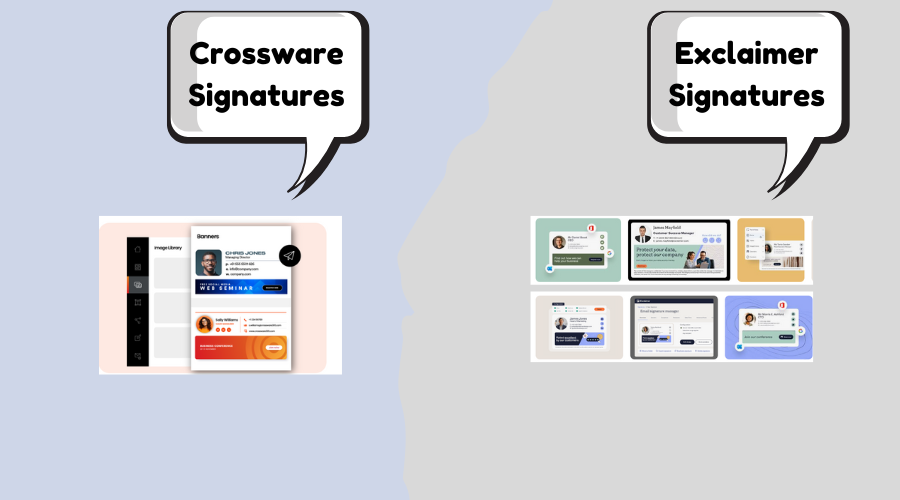
Final Verdict: Which Should You Choose in 2026?
Pick Exclaimer if you're a large enterprise, regulated industry (healthcare/finance), or need deep CRM integrations, role-based governance, HIPAA/SOC 2 compliance, or advanced virtual background features.
Pick Crossware for most businesses — especially SMBs, mid-market companies, global teams, or any organization that wants competitive pricing, flexible rules, quick browser-based customization, Sent Items previews, and strong performance/value. In the majority of deployments I've handled, Crossware provided equal or better day-to-day results at lower cost, with easier setup and more modern feel — making it my top recommendation for 70–80% of use cases in 2026.
Try both free trials — they're straightforward and show the real differences fast. Questions? Drop them below — happy to share more from my deployments! Also check CodeTwo vs Exclaimer or Codetwo Alternatives.