Email Etiquette: 27 Rules for Writing Professional Emails in 2026
The average professional now receives around 121 business emails every single day — and sends about 40. In that flood, the difference between an email that gets a fast, helpful reply and one that gets ignored (or quietly damages your reputation) usually comes down to etiquette. This is the complete, practical guide: 27 rules, real before-and-after examples, and the mistakes that matter most.
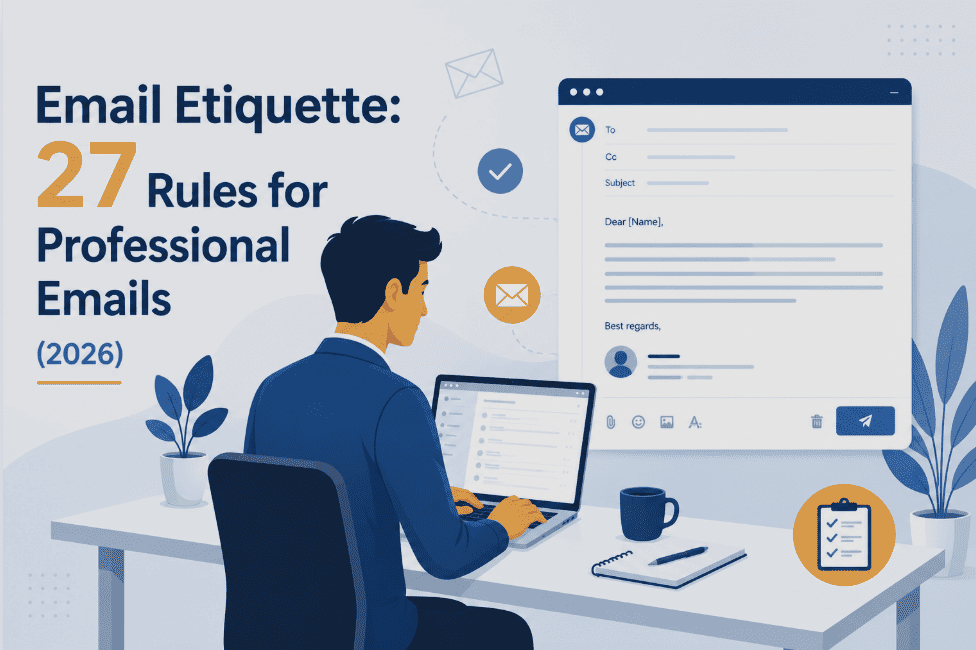
Good email etiquette comes down to three things: respect the reader's time (clear subject line, short body, one obvious ask), protect your professionalism (correct tone, no typos, proper greeting and sign-off), and never create risk (no confidential data, no reply-all mistakes, no angry sends). Master those three and the 27 specific rules below fall into place naturally.
Here's something most people never quite realize: you are judged by your emails far more than you think. A colleague forms an impression of your competence from a two-line message. A potential client decides whether to trust you before they've ever heard your voice. A hiring manager reads your tone in a follow-up and quietly rules you in — or out. Email is often the first, and sometimes the only, version of you that other professionals ever meet.
And yet email is where good communicators get lazy. We fire off messages between meetings, type them on our phones one-handed, and treat them with a casualness we'd never apply to a phone call or a face-to-face conversation. That gap — between how much emails matter and how little care we often give them — is exactly where careers stall, deals stumble, and reputations take small, invisible hits.
The good news is that email etiquette isn't complicated, and it isn't about stiff formality or outdated rules. It's about a handful of habits that make you clearer, more considerate, and more credible in every message you send. This guide walks through all the essential email etiquette rules — organized so you can read it start to finish, or jump straight to the situation you're dealing with right now.
What Is Email Etiquette, Really?
Email etiquette is the set of unwritten rules for communicating clearly, respectfully, and professionally over email. It covers everything from how you open and close a message, to how you structure the body, choose your tone, handle recipients, and present yourself — all with the goal of getting your message understood and acted on without creating friction or misunderstanding.
But that textbook definition undersells why it matters. Think about what actually happens when someone opens your email. They don't have your facial expression, your tone of voice, or your body language to interpret your meaning. All they have is the text on the screen. Every ambiguity gets filled in by their own assumptions — and when you're busy, stressed, or dealing with someone you don't know well, those assumptions tend to skew negative. A message you meant as efficient reads as cold. A quick question reads as a demand. A joke lands as an insult.
Good email etiquette is really about closing that interpretation gap. It's about writing in a way that leaves as little room as possible for your message to be misread — while making the reader feel respected rather than processed. When you get it right, three things happen consistently:
Why Email Etiquette Matters More Than Ever in 2026
You might assume that in an age of Slack, Teams, and instant messaging, email etiquette is becoming less important. The opposite is true — and the data makes the case plainly.
Email volume is still climbing, not shrinking. Around 392 billion emails are sent and received worldwide every day in 2026, up from 376 billion in 2025, and the number grows roughly 4% every year. For the individual professional, that translates to an inbox that receives about 121 business emails a day while sending around 40 — a three-to-one imbalance that guarantees most people's inboxes are perpetually overflowing. When your message is one of 121 competing for someone's attention, etiquette isn't a nicety. It's the thing that determines whether you get read at all.
The time cost is staggering, too. Knowledge workers spend roughly 28% of their workweek — nearly a full day and a half — reading, writing, and managing email. Every unclear message you send adds to that burden for someone else. Every email that forces the reader to write back asking "what exactly do you need from me?" wastes minutes on both sides. Good etiquette is, in a very real sense, a courtesy that gives people their time back.
Then there's the shift to mobile and hybrid work. In 2026, roughly 60% of emails are opened on a mobile device first. That changes what "well-formatted" even means — a wall of text that looked fine on your desktop becomes an unreadable slab on a phone screen. And with hybrid teams spread across time zones, email has become the primary written record of decisions, agreements, and commitments. The stakes of getting it wrong — a misread tone, an ambiguous instruction, a missing detail — are higher when email is doing more of the heavy lifting of workplace communication.
Finally, the rise of AI-assisted writing has raised the baseline. When anyone can generate a polished-looking email in seconds, the emails that stand out are the ones that feel genuinely human, considered, and personal. Etiquette — real attention to the reader and the relationship — is now a differentiator, not a given.
The 27 Essential Email Etiquette Rules for 2026
These are organized into five groups — before you write, the greeting, the body, tone and professionalism, and before you send — so they follow the natural order of actually composing an email. Each rule includes the reasoning and, where it helps, a concrete example of what to do instead.
Before You Write
Ask whether email is even the right channel
Before you type a word, pause: is this actually an email? A quick yes/no question is often better as a chat message. A complex, emotional, or sensitive discussion is almost always better as a call or face-to-face conversation. A decision that needs five people talking over each other belongs in a meeting, not a 30-message thread. Email is best for things that need a written record, don't require real-time back-and-forth, or aren't urgent. Choosing the right channel is the first — and most overlooked — rule of email etiquette.
Write a clear, specific subject line
Your subject line is the single most important line in the entire email, because it decides whether the email gets opened, ignored, or lost. Vague subjects like "Question," "Hi," or "Following up" tell the reader nothing and are easy to skip. Specific subjects respect the reader's time and make your email findable later.
Use a professional email address
Every email you send represents you, and for work, that means using your company or a professional personal address — never something left over from your school days. If a client received a message from "party-monster-2009@," would they take the sender seriously? For professional correspondence, a simple firstname.lastname format is the safe standard. Save the fun handles for personal use.
Know the difference between To, CC, and BCC
Misusing recipient fields is one of the most common — and occasionally career-damaging — email mistakes. Get them right every time:
- To: the people who need to act on or directly respond to the email.
- CC (carbon copy): people who need to stay informed but aren't expected to act. Everyone can see everyone.
- BCC (blind carbon copy): use to email a large group whose members don't know each other (so you don't expose everyone's address), or to quietly remove someone from an ongoing thread. Recipients here are hidden from each other.
Add the recipient's address last
A small habit that prevents a big embarrassment: write the entire email — subject, body, attachments — before you fill in the recipient's address. This makes it physically impossible to send a half-finished message by accidentally hitting send too early. It's a two-second discipline that has saved countless professionals from firing off an incomplete or unproofed email.
The Greeting
Open with an appropriate greeting
Skipping the greeting and diving straight into your request reads as abrupt and slightly rude — like walking into someone's office and talking without saying hello. A greeting sets a respectful tone in a single line. Match the formality to the relationship: "Dear [Name]" for formal first contact, "Hi [Name]" for most professional correspondence, "Hello [Name]" as a safe middle ground. When in doubt, err slightly more formal — you can always warm up as the relationship develops.
Use the recipient's name — and spell it correctly
Nothing undermines an email faster than getting the recipient's name wrong. Misspelling someone's name, or worse, using the wrong name entirely, signals carelessness before they've read a single word of your actual message. Double-check the spelling against their email address or signature every time. And on first contact, use their full name; let their reply guide you on whether first-name basis is appropriate going forward.
Be thoughtful about "Hey" vs "Hi" vs "Dear"
The opening word carries more weight than people assume. "Hey" is fine for close colleagues but reads as too casual for a client or someone senior you don't know. "Hi" is the versatile, safe choice for the vast majority of professional emails. "Dear" is best reserved for formal contexts — cover letters, official correspondence, or a very senior first contact. Reading the relationship correctly here sets the tone for everything that follows.
The Body
Get to the point quickly
With the average professional receiving 121 emails a day, nobody has time for a long wind-up. State your purpose in the first sentence or two. If you're making a request, make it early and make it obvious. A good test: if the reader only read your first two lines, would they know what you need? If not, restructure so the most important information comes first.
Keep it short and scannable
Long, dense emails overwhelm busy readers and often get set aside "for later" — which frequently means never. Keep messages concise. Use short paragraphs, and break up any list of items or steps with bullet points. Most professional emails should be readable in under 30 seconds. If your email is genuinely long and complex, that's often a sign it should be a document, a call, or a meeting instead.
Stick to one main ask per email
When you bury three different requests in one message, the reader typically responds to one and forgets the rest — and then you're chasing the other two. Where possible, keep each email focused on a single clear ask or topic. If you genuinely have multiple items, number them explicitly so none get missed, and consider whether some belong in separate emails with their own subject lines.
Make your call to action explicit
Don't make the reader guess what you want them to do next. Instead of a vague "Let me know your thoughts," be specific: "Can you approve this by Thursday?" or "Which of these two dates works for you?" A clear, specific ask — ideally with a deadline — dramatically increases the odds of a prompt, useful reply. Ambiguity is the enemy of action.
Format for mobile screens
With around 60% of emails opened first on a phone, formatting for mobile is no longer optional. Keep paragraphs to two or three sentences. Avoid wide tables and large images that force horizontal scrolling. Put the most important information at the top, where it's visible without scrolling. What looks tidy on your desktop monitor can become an unreadable wall of text on a 6-inch screen — always picture the phone view.
Name and mention your attachments
Two attachment rules save everyone hassle. First, actually attach the file before you send — the "as attached" email with nothing attached is a universal embarrassment (adding the file first is the cure). Second, mention the attachment in the body and give it a sensible filename, so "Proposal_Acme_July2026.pdf" rather than "doc1final_v3.pdf." For large files, warn the recipient or use a shared link rather than clogging their inbox.
Keep formatting clean and simple
Over-formatting is poor presentation. Stick to a standard font size (10pt or 12pt), a readable web-safe font like Arial or Calibri, and black text for the body. Avoid a rainbow of colors, multiple font sizes, or excessive bold, italics, and underlining — they make an email look chaotic and can even read as shouting or pushiness. Use plain words, not typographic tricks, to emphasize your point.
Tone & Professionalism
Mind your tone — it's easily misread
Without vocal inflection or facial cues, tone in email is entirely inferred from your words, and readers tend to assume the worst when a message is terse. A blunt "Send me the report" can feel like an order; "Could you send me the report when you get a chance?" conveys the same request with warmth. Read your email back and ask: could any sentence be taken as cold, sarcastic, or aggressive? If so, soften it. A little courtesy language goes a long way.
Never send an email angry
The angry email is almost always a mistake you'll regret. Emotion reads as unprofessional, and worse, emails are permanent and forwardable — your heated message can be screenshotted, shared, and remembered long after the moment has passed. If a message makes your blood boil, draft your reply if you must, then save it and step away. Revisit it an hour (or a day) later with a cooler head. You'll almost always rewrite it more calmly, and you'll never regret the pause.
Use humor and sarcasm sparingly
Humor is high-risk over email because it so easily gets lost without tone of voice to carry it. What reads as playful in your head can land as odd, unprofessional, or even offensive to a reader who doesn't know you well. Sarcasm is especially dangerous — it relies almost entirely on vocal delivery and frequently reads as genuine criticism in text. When there's any real risk of being misunderstood, leave the joke out. The best email humor is subtle, kind, and used only with people you know well.
Go easy on exclamation points and emojis
A single exclamation point can add warmth; five make you look frantic or juvenile. Reserve exclamation points for genuine enthusiasm, and generally no more than one per email in professional contexts. Emojis are increasingly accepted in casual internal chat, but they remain risky in formal external emails and first contacts — what feels friendly to you may read as unprofessional to the recipient. When in doubt, express the feeling in words instead.
Skip slang, abbreviations, and text-speak
You wouldn't say "LOL" or "BRB" in a professional meeting, and the same applies in a professional email. Abbreviations like these belong in casual messages with friends, not business correspondence — and some recipients simply won't understand them, creating confusion. Write in full, clear sentences. It takes a few seconds longer and makes you look considerably more polished.
Respect cultural differences
Email norms vary significantly across cultures, and ignoring that can cause friction in international correspondence. Higher-context cultures — common across much of Asia and the Middle East — often value relationship-building and a warmer, more personal tone before getting down to business. Lower-context cultures — such as German, Dutch, or American business norms — tend to prefer directness and getting to the point quickly. When emailing across cultures, a little awareness and a slightly more formal, polite default will serve you well.
Never put confidential information in an email
Emails are easy to forward, copy, and — for a determined bad actor — intercept. Anything highly sensitive (passwords, financial account details, confidential personnel matters, unreleased strategic information) should not travel over standard email. Beyond the security risk, remember that company systems are monitored: an inappropriate or careless email can be seen by people you never intended. When something is truly confidential, use a secure channel or discuss it in person.
Don't overuse "urgent" and priority flags
Marking every email "high priority" or "urgent" is the email equivalent of crying wolf. Overused, these flags lose all meaning and start to read as manipulative or demanding. Reserve them for genuinely time-critical messages. For everything else, communicate timing directly and politely in the body — "I'd appreciate a response by Friday if possible" — rather than slapping on a flag that pressures the reader and erodes your credibility.
Don't request read receipts
Automatic read receipts tend to irritate recipients — they can feel like surveillance, an implicit accusation that the person won't respond unless monitored. They're also unreliable, since many email clients block or ignore them. If you genuinely need to confirm someone received an important message, simply ask them directly, or follow up politely. It's more courteous and more effective than a receipt request.
Before You Send
Use correct grammar and punctuation
Sloppy grammar and punctuation quietly undermine your credibility. You don't need to write like a novelist, but you should capitalize the start of sentences, use punctuation correctly, and avoid the all-lowercase style that's fine for texting friends but reads as careless in professional email. Title case works well for subject lines. Clean, correct writing signals that you're careful and that you take the correspondence — and the recipient — seriously.
Proofread every email before sending
Typos and errors create an impression of carelessness — and they get noticed. Always reread your email before hitting send; it takes seconds and saves you from the far more time-consuming (and awkward) follow-up correction. This applies doubly on mobile, where autocorrect introduces its own embarrassing mistakes. And a signature that says "Sent from my phone, please excuse typos" doesn't earn you a pass — proofread anyway. The extra ten seconds is always worth it.
Close with a proper sign-off and professional signature
End every email with an appropriate closing line and a complete signature — it's the professional equivalent of a firm handshake goodbye. A sign-off like "Best regards" or "Thanks" followed by your name provides a clean, courteous ending. Your signature should include, at minimum, your full name, job title, company, and a way to reach you (phone and email). This applies on mobile too — a proper signature makes it effortless for the recipient to know who you are and how to contact you, on every device.
The fastest way to nail the final rule across an entire organization is centralized email signature management — so every message from every employee ends with a correct, on-brand, professional signature automatically, on desktop and mobile alike. If you're comparing tools, our guide to the best email signature software in 2026 breaks down the leading options.
Interactive: Score Your Email Before You Send It
Paste a draft email below (or just start typing) and this tool checks it against the core etiquette rules in real time — flagging all-caps, missing greetings and sign-offs, over-long paragraphs, risky words, exclamation overuse, and more. Nothing is sent anywhere; the check runs entirely in your browser.
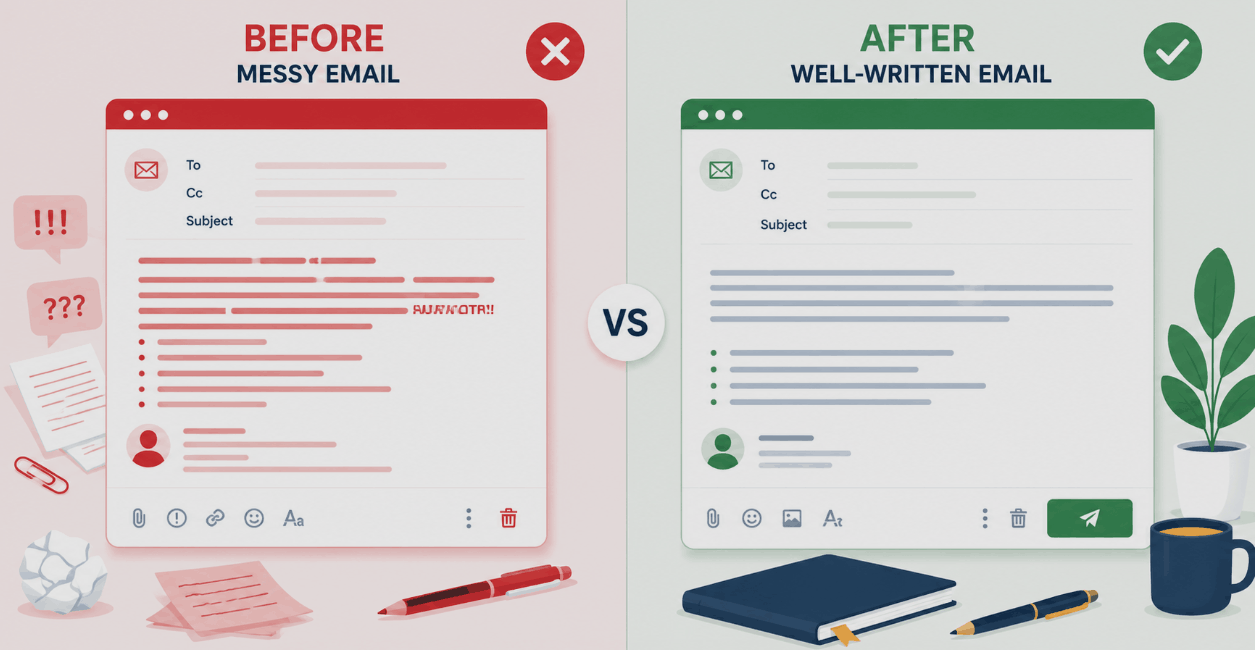
Before & After: Real Email Rewrites
Rules are easier to internalize when you see them applied. Here are four common professional emails, shown first as they're often written — and then rewritten to follow the etiquette rules above. Tap any card to reveal the improved version and what changed.
hey so i wont be able to finish the report by friday. too much going on. will send when i can
Subject: Q3 report — requesting 2-day extension to Tuesday
Hi Sarah,
I want to flag early that I won't be able to deliver the Q3 report by Friday as planned. A couple of higher-priority items landed this week, and I'd rather give you accurate figures than rush it.
Could I have until Tuesday? I'll have the full draft to you by end of day then. Happy to send a partial version Friday if that's useful in the meantime.
Thanks for understanding,
Alex
Subject: ???
Did you even see my last email?? I need an answer ASAP this is URGENT!!!
Subject: Following up: proposal feedback (sent Mon)
Hi Priya,
Just floating this back to the top of your inbox — I know things get busy. When you have a moment, could you let me know your thoughts on the proposal I sent Monday?
If it's easier to talk it through, I'm free Thursday afternoon for a quick call. No rush if you need more time.
Best,
Jordan
Subject: Opportunity!!!
Dear Sir/Madam, I am reaching out to introduce our amazing revolutionary solution that will transform your business. Please find attached a 12-page brochure. Looking forward to your urgent response.
Subject: Cutting onboarding time for fintech teams like [Company]
Hi Dana,
I noticed [Company] has been scaling its support team quickly — congratulations on the growth. Teams at that stage often hit a wall with onboarding time, which is exactly what we help with.
Would a 15-minute call next week be worth exploring whether we're a fit? If it's not the right time, no problem at all — just let me know.
Best regards,
Sam Chen
[Title, Company, phone]
No, I can't do that. I'm too busy.
Hi Marcus,
Thanks for thinking of me for this. Unfortunately I'm at capacity with the launch this month and wouldn't be able to give it the attention it deserves.
If it can wait until early next month, I'd be glad to help then. Alternatively, Rachel on my team has done similar work and might have bandwidth — happy to introduce you.
Best,
Lin
Email Greetings & Sign-Offs: Quick Reference
Choosing the right opening and closing for the situation is one of the trickiest parts of email etiquette. This reference table shows which to reach for, and which to avoid, based on formality.
| Situation | Good greetings | Good sign-offs | Avoid |
|---|---|---|---|
| Formal / first contact (client, senior exec, cover letter) |
Dear [Full name], Dear Mr./Ms. [Surname], |
Best regards, Kind regards, Yours sincerely, |
Hey, Hiya, no greeting |
| Standard professional (most work emails) |
Hi [First name], Hello [First name], |
Best, Thanks, Regards, |
To whom it may concern |
| Familiar colleague (someone you know well) |
Hi [Name], Hey [Name], |
Thanks, Cheers, Talk soon, |
Overly stiff formality |
| Thank-you / appreciation | Hi [Name], | Thanks so much, With appreciation, Gratefully, |
Ta, Thx |
| Group email | Hi all, Hi team, Hello everyone, |
Thanks all, Best, |
Guys, Hey guys |
A few universal sign-off principles: match the closing's formality to the greeting you opened with; "Best regards" is the safest all-purpose professional sign-off; avoid "Sent from my iPhone" as a substitute for a real sign-off; and never leave an email with no closing at all — it reads as abrupt.
Situation-Based Quick Guide
Different email situations call for slightly different etiquette emphasis. Here's what to prioritize in the scenarios professionals face most often:
| Situation | What matters most | Watch out for |
|---|---|---|
| Emailing your boss | Clarity, brevity, and a clear ask or update. Respect their time. | Burying the point; over-apologizing; excessive length |
| Emailing a new client | Warm but professional tone, correct name, a specific subject, real signature. | Being too casual too soon; generic openers; typos |
| Replying to a complaint | Calm, empathetic tone; acknowledge the issue; state clear next steps. | Defensiveness; sending while emotional; blame language |
| Following up | Polite persistence; reference the original; make the reply easy. | Accusatory tone; "did you see my email?"; caps and urgency flags |
| Introducing two people | Clear reason for the intro; brief context on each; use of BCC to release yourself. | No context; exposing both parties to a long thread unnecessarily |
| Sending bad news | Directness balanced with tact; lead with the essential; offer a path forward. | Burying it so deep the reader misses it; cold or clinical tone |
| Group / all-staff email | A subject that signals relevance; BCC for large lists; a clear reason it's for everyone. | Reply-all invitations; exposing addresses; irrelevant recipients |
| Out-of-office replies | Dates you're away, who to contact instead, when you'll respond. | Vague "limited access" wording; no backup contact; leaving it on after return |
On that last one — a good automatic reply is its own small art. If you want ready-to-use wording, our out-of-office message guide has templates you can adapt in seconds.
The 7 Costliest Email Etiquette Mistakes
Some email mistakes are minor. These seven are the ones that genuinely damage relationships, reputations, or careers — worth committing to memory as the things to never do.
Frequently Asked Questions About Email Etiquette
Email etiquette is the set of good manners and best practices for professional email — writing clearly, choosing the right tone, structuring your message so it's easy to read, handling recipients correctly, and presenting yourself professionally. In short, it's about getting your message understood and acted on while making the reader feel respected. It matters because emails shape how competent and trustworthy people perceive you to be.
Common examples of bad email etiquette include: writing in all capitals (it reads as shouting), sending emails while angry, using vague or missing subject lines, hitting "reply all" unnecessarily, exposing recipients' addresses instead of using BCC, ignoring emails or responding excessively late, getting the recipient's name wrong, over-using urgent flags, sending confidential information over plain email, and failing to proofread. Each of these either wastes the reader's time or creates a poor impression of the sender.
It depends on the relationship. "Hey" is perfectly fine for close colleagues and casual internal communication, but it reads as too informal for a client, a senior person you don't know, or any formal first contact. For most professional emails, "Hi [Name]" is the safest versatile choice. Reserve "Dear [Name]" for formal situations, and keep "Hey" for people you already have an established, relaxed working relationship with.
As short as possible while still being complete. Most professional emails should be readable in under 30 seconds — think a few short paragraphs. State your purpose in the first sentence or two, keep each paragraph to two or three sentences, and use bullet points for any list of items. If your email genuinely needs to be long and detailed, that's often a sign the content belongs in an attached document, a call, or a meeting instead.
Use CC (carbon copy) to keep people informed who don't need to act — everyone can see everyone in the CC field. Use BCC (blind carbon copy) in two main cases: when emailing a large group whose members don't know each other, so you don't expose everyone's address to everyone; and when you want to quietly drop someone from an ongoing thread. In BCC, recipients cannot see each other's addresses. As a rule, use BCC sparingly and never to secretly loop someone into a sensitive conversation.
Lead with a neutral, non-accusatory framing and focus on the issue rather than the person. Something like: "I think there may be a small discrepancy in the figures on page 3 — could you take another look?" works far better than "You got the numbers wrong." Assume it was an honest oversight, offer to help if appropriate, and keep the tone collaborative. The goal is to fix the problem while preserving the relationship, not to assign blame.
The general expectation for professional email is a response within 24 hours on business days, even if that response is just an acknowledgment ("Got it — I'll have an answer by Thursday"). For urgent or time-sensitive matters, sooner is better. If you can't give a full answer quickly, a brief holding reply is far better than silence, because it reassures the sender their message was received and prevents the anxious follow-up. What you want to avoid is leaving important emails unanswered for days.
It depends on context. Emojis are increasingly common and accepted in casual internal communication, especially in chat tools and with colleagues you know well. However, they remain risky in formal emails, external correspondence, and first contacts — what feels warm and friendly to you may read as unprofessional to the recipient. When in doubt, especially with someone you don't know, express the sentiment in words instead and save emojis for established, casual relationships.
Avoid anything you wouldn't want forwarded or read aloud in a meeting: angry or sarcastic remarks, criticism of a named colleague, confidential or sensitive information, off-color humor, and absolute promises you can't guarantee. Also avoid passive-aggressive phrasing like "per my last email" delivered with an edge, and vague slang or abbreviations that could confuse the reader. A good test before sending anything questionable: would you be comfortable if this email were screenshotted and shared? If not, rewrite it.
Match it to formality. "Dear [Name]" is the most formal and suits cover letters, official correspondence, and very senior first contacts. "Hello [Name]" is a professional middle ground. "Hi [Name]" is the versatile, widely-accepted default for the majority of professional emails. All three are appropriate professional greetings — the key is reading the situation and the relationship, and erring slightly more formal when you're unsure.
Generally, yes — omitting them makes an email feel abrupt and slightly cold, like starting a conversation without saying hello or ending it by walking away mid-sentence. A greeting and a sign-off take one line each and add a great deal of warmth and professionalism. The one exception is a fast back-and-forth exchange that's already underway, where dropping the formalities on later replies is natural. But for any new email or first message in a thread, always include both.
"Best regards" is the safest, most universally appropriate professional sign-off — warm without being casual, professional without being stiff. Other strong choices include "Kind regards" and "Best" for general use, "Thanks" or "Thank you" when you're making a request or expressing appreciation, and "Yours sincerely" for very formal correspondence. Avoid overly casual sign-offs like "Cheers" or "Ta" with people you don't know well, and never let "Sent from my phone" stand in for an actual sign-off.
The Bottom Line
Email etiquette isn't about rigid formality or memorizing rules for their own sake. It's about a simple, powerful idea: every email is a small act of respect for the person reading it. When you write clearly, you save them time. When you get the tone right, you make them feel valued. When you avoid the costly mistakes, you protect both of you.
You don't need to apply all 27 email etiquette rules perfectly from day one. Start with the three that matter most — a clear subject line, a short and focused body, and a professional tone — and the rest will follow naturally. Over time, good email habits become invisible, automatic, and one of the quiet foundations of a strong professional reputation.