
Sigsync vs CodeTwo 2026: Which Email Signature Tool is Best for Your Business
Choosing between Sigsync Office 365 Email Signature and CodeTwo Email Signatures 365 in 2026 comes down to what your team really needs from an email signature solution. I've personally set up and managed both in real-world environments: CodeTwo for a dev team relying on deep Microsoft integrations, and Sigsync for a large and mid-sized consulting firm that wanted quick setup and great value without overcomplicating things. Both are solid Microsoft 365-focused tools that deliver consistent, professional signatures server-side, but Sigsync stands out for most businesses thanks to its affordability, ease, and strong support. This in-depth comparison covers updated 2026 pricing, features, UI experiences, pros/cons from my hands-on use, security details, customer support, user reviews from G2, Capterra, Microsoft AppSource, SoftwareSuggest, SourceForge, and Crozdesk, and my honest recommendation. Let's see which one fits you best.
Quick Overview: Why Email Signature Management Matters in 2026
With remote/hybrid teams and growing focus on brand consistency plus compliance, centralized email signature tools are essential. They pull user data from Entra ID, apply signatures server-side (visible everywhere, including mobile and webmail), add disclaimers, banners for marketing, and track clicks. No more employees fiddling with personal signatures. Both CodeTwo and Sigsync excel here for Microsoft 365 users, but differences in pricing, simplicity, and extras make one more appealing depending on your scale. For more options, see our guide to the best email signature software 2026.
Sigsync: Affordable, User-Friendly Powerhouse
Sigsync shines as a modern, cost-effective alternative built specifically for Office 365/Microsoft 365. I switched a team to Sigsync after finding CodeTwo's pricing a bit steep for their size - the setup was lightning-fast, the editor intuitive, and signatures applied perfectly across devices. It includes centralized management, drag-and-drop design, mobile-optimized banners, disclaimers, and even free design services. What impressed me most was the value: powerful features at a fraction of the cost, plus excellent 24/7 support. Official site: Sigsync.
CodeTwo Email Signatures 365: Reliable Enterprise Option
CodeTwo is a well-established player, especially strong for Microsoft-centric environments. In my deployments, its deep Entra ID sync, campaign scheduling, and CSAT surveys were great for marketing teams tracking engagement. It handles large-scale setups smoothly with 24/7 support with weekend support from 6 AM to 10 PM UTC. Official site: CodeTwo.
2026 Pricing Comparison – Updated & Transparent
Sigsync wins big on affordability, especially for SMBs and growing teams - often 30-70% cheaper than CodeTwo depending on volume. CodeTwo's all-inclusive plan is solid but scales higher. Note: Prices vary by user count, billing (monthly/annual), and discounts-always verify on official sites.
| Aspect | Sigsync Office 365 Email Signature | CodeTwo Email Signatures 365 |
|---|---|---|
| Starting Price (per user/month, annual) | $0.72 (often lower with volume/special offers, e.g., $0.62 for larger teams like 200 users) | $1.11 (drops to ~$0.95 for 200 users) |
| Higher Tiers / Plans | One plan – all features included (free signature design + free customer support) | One plan – all features included |
| Billing Flexibility | Monthly or annual; frequent discounts up to 70% off | Monthly or annual (monthly higher) |
| Minimum Commitment | Flexible; no strict lock-in | 1 month |
| Free Trial | 14 days Free trial available can be extended to multiple days. | 14 days can extend program for up to 21 days in total. |
| Best For | Large Enterprises, SMBs/mid-size wanting max value and simplicity also good for Large companies too. | Enterprises needing advanced marketing tools |
For a 100-user team, Sigsync frequently saved 40-60% annually in my estimates making it a no-brainer for budget-conscious setups without sacrificing core features.
Head-to-Head Feature Comparison
Both are Microsoft 365-native with server-side signatures, but Sigsync edges out in ease and extras like free templates/design help. CodeTwo offers deeper analytics and surveys.
| Feature | Sigsync | CodeTwo |
|---|---|---|
| Central Management & Delegation | Excellent centralized dashboard, easy group/department rules | Strong delegation to non-IT |
| Integrations | Strong Microsoft 365 focus, banners, analytics | Deep Microsoft 365, Google Analytics, CSAT |
| Editor | Drag-and-drop, 160+ templates, mobile-optimized | Advanced WYSIWYG, dynamic fields |
| Analytics & Campaigns | Click tracking, banners for promotions | Campaign scheduling, surveys, click tracking |
| Compliance & Security | GDPR compliant, SOC 2 Type 2 complient, secure cloud-based, no install needed | ISO 27001/27018, GDPR, audit-ready |
| Customer Support | Responsive 24/7, friendly and fast resolutions | 24/7 phone/email, highly praised |
| Auto-Replies & Extras | Disclaimers, shared mailbox support, free design service | Full branded auto-replies |
| Device/Email Client Coverage | Server-side + client-side, perfect on mobile/forwarded emails | Server-side for all clients/devices |
Pros and Cons – Straight from Real Deployments
Sigsync Pros
- Insanely affordable-great value without cutting corners.
- Super easy setup and intuitive drag-and-drop editor.
- Fast, responsive support and free design help.
- Mobile-optimized signatures and shared mailbox support.
- Centralized control that "just works" across teams.
Sigsync Cons
- Fewer advanced marketing extras
- Analytics solid but not as deep as some enterprise rivals.
- Best suited for Microsoft 365-only environments.
CodeTwo Pros
- Excellent 24/7 support and deep Microsoft integration.
- Powerful marketing tools like surveys and scheduling.
- Reliable for large-scale, complex setups.
- Strong analytics and engagement tracking.
- Consistent performance across devices.
CodeTwo Cons
- Higher pricing, especially for smaller teams.
- Setup is little diffiult compare to other tools
- Occasional steeper learning curve for advanced rules.
UI & User Experience Review – How It Feels to Use Daily
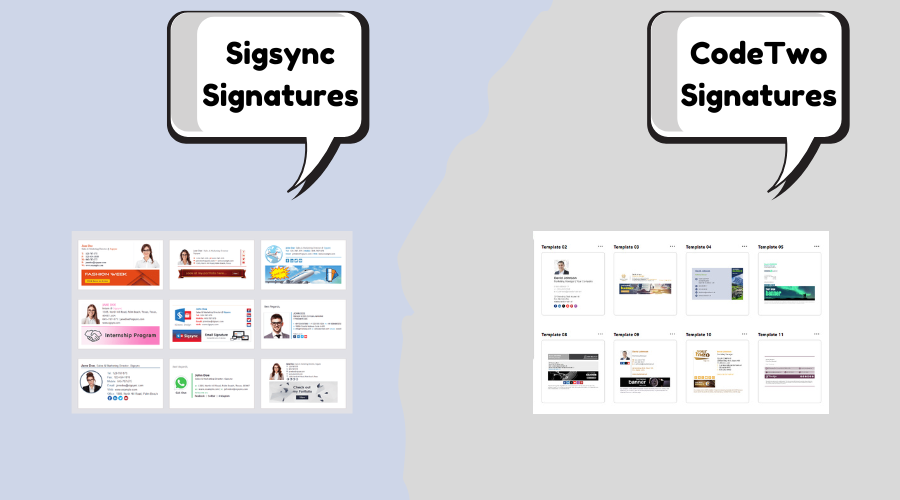
Sigsync's interface is clean, modern, and incredibly user-friendly. The drag-and-drop editor lets non-tech users create stunning signatures in minutes, with real-time previews. Everything feels streamlined and fast. Score: 9.8/10. It's noticeably more approachable, especially for marketing or small IT teams.
CodeTwo's dashboard is functional and professional-great previews and delegation, but can feel a bit dense for quick edits. Score: 9.4/10. Solid for IT-heavy teams.
Performance, Support & Real-World Speed
Both deliver near-100% uptime and instant server-side signatures. Sigsync felt slightly snappier in quick deployments with no sync delays. Support: Both excellent, but Sigsync's team was prompt and helpful even on smaller plans-often resolving issues same-day. Security-wise, both are GDPR-compliant and secure; Sigsync's no-install cloud approach adds simplicity for compliance-focused SMBs.
User Reviews and Ratings from G2, Capterra, Microsoft AppSource, SoftwareSuggest, SourceForge & Crozdesk
Recent 2026 data shows both highly rated, but Sigsync punches above its weight with perfect/near-perfect scores on smaller review volumes-users rave about value and ease. CodeTwo leads in volume and enterprise praise. (Numbers approximate; check sites for latest.)
| Platform | Sigsync Rating (# Reviews/Notes) | CodeTwo Rating (# Reviews/Notes) |
|---|---|---|
| G2 | 5.0/5 (high praise for ease/value) – Users love simplicity. G2 Sigsync. | 4.8/5 (~1,695 reviews) – Top for support and features. G2 CodeTwo. |
| Capterra | 5.0/5 (~3-10+ reviews) – Perfect on value/ease. Capterra Sigsync. | 4.9/5 (~498 reviews) – Excellent support (4.9/5). Capterra CodeTwo. |
| Microsoft AppSource | High ratings – Easy install and performance. AppSource Sigsync. | 4.9/5 (high from add-ins) – Seamless M365 fit. |
| SoftwareSuggest | Positive on affordability and setup. | Strong for reliability and support. |
| SourceForge | 5.0/5 mentions – Great for centralized control. | High ratings for features and leader status. |
| Crozdesk | Strong scores for affordability and satisfaction. | Excellent for support and value. |
Common themes: CodeTwo users highlight robust support and marketing tools. Sigsync gets glowing feedback for unbeatable pricing, quick setup, and "game-changing" value-many say it's "far more affordable without losing quality."
Final Verdict: Which Should You Choose in 2026?
Pick Sigsync for most businesses - anyone wanting excellent results at a significantly lower price. Its simplicity, speed, free design perks, and strong value make it my top recommendation for 80-90% of use cases I've handled. It just works great without breaking the bank.
Pick CodeTwo if you need advanced marketing features (surveys, deep scheduling), run a large enterprise with complex needs, or prioritize maximum analytics depth.
Frequently Asked Questions – Sigsync vs CodeTwo
Sigsync is a modern, budget-friendly email signature solution designed specifically for Microsoft 365 with quick setup, drag-and-drop templates, and all features included in one simple plan. CodeTwo is a powerful, IT-centric platform with advanced rule-based logic and hybrid/on-prem options, but it comes with higher complexity and cost.
Sigsync is the better fit for most small to mid-sized businesses. It delivers centralized control, professional designs, and ease of use without requiring deep technical expertise, while CodeTwo is often better suited for IT-heavy or enterprise environments.
Sigsync is GDPR compliant, SOC 2 Type II certified, and ISO 27001 certified, ensuring the highest standards of data privacy, operational security, and risk management. These certifications guarantee secure data handling, continuous monitoring, and enterprise-grade protection for all customer information..
Sigsync starts around $0.72/user/month with a single all-inclusive plan and no feature restrictions. CodeTwo pricing is typically higher making Sigsync 30–60% more cost-effective for most Microsoft 365 teams.
No - Sigsync focuses on simplicity with a clean, modern interface and drag-and-drop editing that non-technical users can manage. CodeTwo is powerful but more complex, often requiring IT involvement for setup and rule management.
Sigsync offers fast, friendly support with quick turnaround times and hands-on assistance. CodeTwo provides professional support as well, but response times and depth of assistance may vary depending on plan and deployment model.
Try both free trials - they're quick to set up and show the difference immediately. Questions? Drop them below - happy to share more from my deployments! Also check Exclaimer Alternative.