Business Email Grammar Rules: 21 Fixes That Make You Look Sharper
Nobody replies to say your comma was wrong. They just quietly form an opinion. This is the grammar that actually shows up in business email — where to put the comma after “Hi John,” which half of “Best Regards” gets a capital, and the phrases that are perfectly correct but make you sound like a 1994 fax.
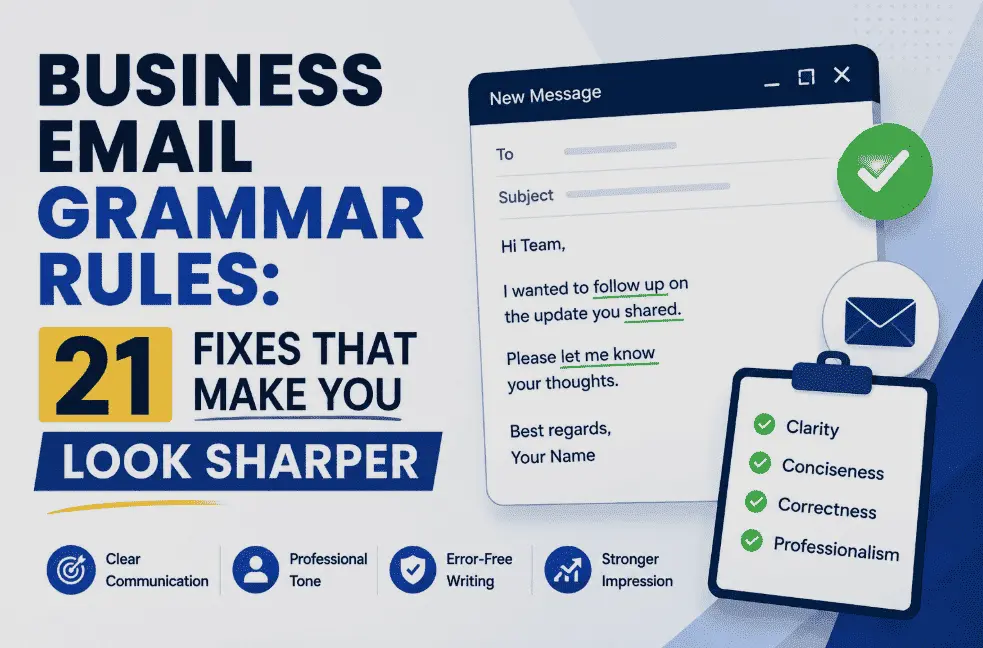
If you fix only five things, fix these. 1. A comma after the greeting, or a colon if it’s formal — never a semicolon. 2. Capitalise the first word of the body, because it starts a sentence. 3. Only the first word of a sign-off gets a capital: Best regards, not Best Regards. 4. It’s means “it is” — the possessive its has no apostrophe, and this is the error people notice most. 5. One exclamation mark, maximum, and preferably none. Everything below is detail on top of those five.
Grammar advice usually arrives in one of two unhelpful flavours: a pedant insisting you can’t end a sentence with a preposition, or a listicle telling you to “proofread carefully.” Neither helps at 4:50pm with an email to a client half-written.
So this is narrower and more practical. It covers only the constructions that genuinely recur in business email — greetings, closings, a specific set of word pairs, and punctuation choices that change how a sentence lands. Where style guides disagree, I’ve said so rather than pretending there’s one right answer, because in several of these cases there honestly isn’t.
One boundary worth setting: this page is about mechanics. For the behavioural side — reply-all, response times, tone, when email is the wrong medium entirely — see our separate guide to email etiquette rules.
The Greeting Line — Where Most Errors Live
More business email mistakes happen in the first four words than anywhere else in the message. Three questions cover almost all of them.
Comma or colon after the name?
Both are correct. They just signal different registers, and mixing them up is what reads as odd.
A semicolon is never correct after a greeting. Neither is a full stop, though you’ll see both. If you’re unsure which register you’re in, the comma is the safer default — a colon on a casual note to a colleague reads as stiff, while a comma in a formal letter reads as merely relaxed.
The comma nobody uses (but is technically right)
Here’s a genuine curiosity. Strictly, Hi is an interjection and Sarah is direct address, so the fully correct form is “Hi, Sarah,” with what grammarians call a vocative comma. The same logic gives you “Hello, Sarah,” and “Thanks, Sarah.”
Almost nobody writes it that way in email, and I wouldn’t start. “Hi Sarah,” is so overwhelmingly standard that the technically-correct version now reads as fussy or slightly off. This is one of those places where usage has simply won, and following the rule makes you look less fluent rather than more.
Capitalising the first line
The first word after the greeting starts a new sentence, so it takes a capital. Every time.
thanks for sending the report through.
Thanks for sending the report through.
The comma after the name doesn’t carry the sentence over. It closes the greeting, and the body begins fresh underneath it.
Punctuation That Actually Matters in Business Email
Most punctuation questions in email have low stakes. These five don’t — each one visibly changes how you come across.
Capitalisation Rules Worth Knowing
Over-capitalising is the single most common giveaway of an inexperienced business writer. English capitalises far less than most people assume.
| Situation | Correct | Not |
|---|---|---|
| Sign-off | Best regards, | Best Regards, |
| Job title, standing alone | She’s the operations manager. | She’s the Operations Manager. |
| Job title before a name | Operations Manager Priya Sharma | operations manager Priya Sharma |
| Department, generic | I’ll ask the finance team. | I’ll ask the Finance Team. |
| Seasons | launching in spring | launching in Spring |
| Emphasis | This is urgent. | This is URGENT. |
| Subject line | Q3 budget review — draft attached | Q3 Budget Review — Draft Attached |
| Product or feature, generic | the reporting dashboard | the Reporting Dashboard |
Two of those deserve a note. Job titles take a capital only when they sit immediately before a name as part of it — “Operations Manager Priya Sharma” — and lowercase when they describe a role: “Priya Sharma, the operations manager.” Plenty of companies capitalise titles everywhere in internal writing as a house style, which is fine; just be consistent.
And subject lines: sentence case has quietly become standard in business email, because title case reads as marketing. Compare “Q3 Budget Review — Draft Attached For Your Review” against “Q3 budget review — draft attached.” The second looks like a colleague. The first looks like a newsletter, and gets treated accordingly.
The Word Pairs People Get Wrong
These are the errors that actually get noticed, ranked roughly by how often they show up in real business email.
| Pair | How to keep them straight |
|---|---|
| its / it’s | “It’s” only ever means “it is” or “it has”. If you can’t substitute “it is”, use its. The possessive has no apostrophe — the same way his doesn’t. |
| your / you’re | “You’re” means “you are”. “Thanks for your time” — you can’t say “thanks for you are time”. |
| their / there / they’re | Their = belongs to them. There = a place. They’re = they are. |
| affect / effect | Affect is almost always the verb, effect almost always the noun. “This will affect the timeline” / “the effect on the timeline.” |
| fewer / less | Fewer for things you can count — fewer meetings, fewer errors. Less for quantities you can’t — less time, less confusion. |
| e.g. / i.e. | e.g. = for example. i.e. = in other words. Both take a comma after in American style. Not interchangeable, and confusing them changes your meaning. |
| compliment / complement | A compliment is praise. Something that complements completes it — note the “e”, as in “complete”. |
| principal / principle | Principal = main, or a person in charge. Principle = a rule or belief. “The principal reason” / “a matter of principle.” |
| ensure / insure | Ensure = make certain. Insure = buy insurance. In business email you almost always want ensure. |
| who / whom | Swap in he/him. If “him” fits, use whom. Genuinely low stakes in email — nobody minds “who” where “whom” is technically right. |
Phrases That Are Correct but Sound Dated
Nothing below is a grammatical error. Each one is simply out of step with how business English reads in 2026, and swapping them is the quickest way to sound current.
| Instead of | Write | Why |
|---|---|---|
| Please find attached | I’ve attached / Here’s | Letter-era formula. Nobody has to “find” anything. |
| Please be advised that | (just say the thing) | Four words carrying no meaning at all. |
| As per our conversation | As we discussed | “As per” is legalese; “per” alone is fine in “per the contract”. |
| Kindly send | Could you send / Please send | Reads as stiff to UK and US recipients. |
| I am writing to inform you | (open with the news) | They can see you’re writing. Get to it. |
| Do not hesitate to contact me | Let me know if you have questions | Double negative, and twice the length. |
| At your earliest convenience | By Thursday / when you can | Vague deadlines get vague responses. Name a date. |
| Herewith / thereof / aforementioned | this / that / the one above | Contract language in an email is armour, not clarity. |
Sentence-Level Rules That Change How You Read
The Sign-Off
Three mechanical rules, and then it’s a matter of taste.
Priya
priya
Only the first word takes a capital. “Best regards,” “Kind regards,” “Many thanks,” “Warm wishes.” This is probably the most widespread capitalisation error in business email, and it appears in an enormous number of otherwise careful messages.
The sign-off takes a comma, not a full stop. Your name goes on the next line, capitalised as you’d write it anywhere else.
“Regards” alone reads cooler than you may intend. It isn’t rude, but many readers pick it up as clipped, especially after a disagreement. “Best regards” or “Thanks” carry the same brevity with none of the chill. If you’d like more options, we’ve collected 120+ email sign-offs with notes on when each one fits.
A misplaced comma in a signature repeats on every email you send for years. Job titles in signatures do take capitals — they sit in place of a name. Browse our free email signature templates for correctly punctuated layouts, or see Office 365 signature management for keeping a whole team’s wording consistent.
A Proofreading Routine That Takes 30 Seconds
Rules only help if you catch the breach. This is the sequence worth building a habit around, and the order matters — each pass looks for something different.
- Read the first line and the last line only — that’s where errors cluster.
- Check the recipient’s name spelling against their own signature.
- Confirm any date or number you’ve stated.
- If you mentioned an attachment, check it’s attached.
- Read it once out loud for anything that sounds wrong.
- Write it, then leave it ten minutes before rereading.
- Add the recipient last, so you can’t send early.
- Read it bottom to top — breaks the flow so errors surface.
- Check it on a phone screen, where long sentences show up.
- For high-stakes mail, have someone else read it.
Reading out loud is the one that punches above its weight. Your eye skips over a missing word because your brain supplies it; your mouth stumbles. It catches tense mismatches, dropped words and sentences that ran too long far more reliably than rereading silently.
Frequently Asked Questions
Yes — “Hi John,” with a comma is standard for everyday business email. Use a colon instead for formal correspondence such as job applications or legal mail: “Dear Ms Okonkwo:”. A semicolon is never correct after a greeting. Strictly speaking, the fully correct form is “Hi, John,” with a vocative comma after the interjection, but virtually nobody writes it that way in email and doing so now reads as fussy. The comma after the name is what matters.
Yes, always. The comma closes the greeting; it doesn’t carry the sentence over. So it’s “Hi Sarah,” on one line and “Thanks for sending the report” beginning with a capital on the next. This applies whether you used a comma or a colon after the name. Writing “hi Sarah, thanks for…” in lowercase is one of the most common errors in casual business email, and it registers even with readers who couldn’t tell you why.
Best regards — only the first word takes a capital. The same applies to every multi-word sign-off: “Kind regards,” “Many thanks,” “Warm wishes,” “Yours sincerely.” A sign-off isn’t a title, so it doesn’t take title case. It also ends with a comma rather than a full stop, with your name on the following line. This is probably the single most widespread capitalisation error in business email, which is precisely why fixing it is worth the two seconds.
Sentence case is now the norm — capitalise the first word and any proper nouns, and nothing else. “Q3 budget review — draft attached” rather than “Q3 Budget Review — Draft Attached.” Title case has become strongly associated with marketing email, so a title-case subject from a colleague or supplier can read as promotional and get skimmed past. The exception is a formal announcement or a document title you’re reproducing exactly.
Grammatically, yes — there’s nothing wrong with it. It’s simply a leftover from the era of physical letters and dictated correspondence, and it reads as dated to most recipients now. “I’ve attached the invoice” or “Here’s the invoice” says the same thing in fewer words and sounds like a person rather than a form letter. The same applies to “please be advised that,” “as per our conversation,” and “I am writing to inform you” — all correct, all quietly ageing you.
Yes, in almost all business email. “I’ll send it over” and “we’re on track” and “don’t worry about it” are correct and appropriate — avoiding them is the fastest way to make an email sound stiff or automated. Save the fully expanded forms for genuinely formal documents: contracts, legal notices, formal complaints, some academic writing. Even then it’s a style preference rather than a rule. In everyday correspondence, “I can’t make Thursday” reads as a colleague; “I will not be able to attend on Thursday” reads as a summons.
One at most, and often zero. A single exclamation mark reads as warm and is completely fine — “Thanks so much for this!” Two or more in a row read as excitable regardless of who you are. If a short email has several across different sentences, the effect compounds and you come across as anxious rather than friendly. One other thing worth watching: an exclamation mark on a request converts enthusiasm into pressure. “Could you get that to me today!” doesn’t read as cheerful.
Grammar covers the mechanics of the language — punctuation, capitalisation, word choice, sentence structure. Etiquette covers behaviour: when to reply-all, how quickly to respond, whether to CC someone’s manager, when a phone call would be better than another email. They’re different skills and they fail in different ways. You can write a flawlessly punctuated email that’s completely inappropriate to send, and a slightly scrappy one that lands perfectly. This page covers the mechanics; our email etiquette guide covers the behaviour.
The Bottom Line
Business email grammar rewards a small amount of attention in a few specific places. Comma after the greeting, capital on the first word of the body, capital on only the first word of the sign-off, and a clear head about its versus it’s. Those four cover the majority of what anyone actually notices.
Past that, the useful shift is away from formality and toward clarity. Contractions are fine. Short sentences are better. “I’ve attached the file” beats “please find attached herewith.” Nobody has ever thought less of an email for being easy to read.