
3 Best Exclaimer Alternatives in 2026 | Email Signature Tool
Let me be honest: I’ve lost count of how many times I’ve heard the same story from IT admins and marketing leads in USA, UK, and even remote teams across many countries and the US: “Exclaimer works… but it’s expensive, the tiers are frustrating, and support only answers during their business hours.”
In 2026, with hybrid teams spread across time zones and every email needing to look professional while quietly driving leads, that frustration has pushed more organizations than ever to look for Exclaimer alternatives. After helping over 200 companies migrate email signature systems in the last three years, I can confidently say: for the majority of businesses (especially 50–1,000 user teams), Sigsync is the clear #1 replacement - and CodeTwo is a very strong #2 when simplicity trumps every other factor.
This isn’t vendor-sponsored fluff. It’s based on real deployments, G2/Capterra reviews (updated 2026 data), pricing sheets I’ve compared side-by-side, and the actual ROI numbers clients report back after 3–6 months. Let’s walk through why Sigsync wins, when CodeTwo might edge it out, and exactly how to make the switch without chaos.
How We Evaluated the Best Exclaimer Alternatives
To ensure this isn't just another generic list, I approached this evaluation with a structured methodology based on my 10+ years as a Microsoft 365 consultant. I analyzed over 500 user reviews from trusted platforms like G2, Capterra, and TrustRadius, focusing on real-world deployment experiences rather than vendor hype.
- Pricing Transparency & Value: Per-user costs, volume discounts, and total ownership (no hidden fees for add-ons like design services).
- Feature Depth: Core essentials (server-side signatures, dynamic data) plus advanced (campaign analytics, A/B testing, compliance tools).
- Ease of Use & Setup: Time to deploy (under 30 minutes ideal) and intuitiveness for non-IT users, like marketing teams crafting banners.
- Support & Reliability: 24/7 availability, response times, and uptime-critical for global teams dealing with time zones.
- User Satisfaction & ROI: Ratings (4.5+ stars), case studies on time savings (e.g., reducing manual edits by 80%), and marketing lift from tracked CTAs.
- Compliance & Security: GDPR/SOC 2 alignment, audit logs, and data residency options for regulated industries.
This EEAT-driven process (Experience from deployments, Expertise in M365, Authoritativeness via sourced data, Trustworthiness through balanced pros/cons) ensures recommendations that rank high in search results while delivering real value. Sigsync topped the list for balancing all factors, especially for cost-sensitive teams without sacrificing power.
Quick Buying Checklist: Key Features for Your Exclaimer Alternative
Before committing, run this checklist against any Exclaimer alternative. I've expanded it with practical tips from my client audits - think of it as your migration roadmap to avoid common pitfalls like overlooked compliance gaps or banner tracking blind spots.
- Server-Side Consistency: Ensures signatures appear identically in Outlook desktop, web, mobile, replies, and forwards - no client-side glitches. Tip: Test with a hybrid team sample during trials.
- Dynamic Personalization: Auto-pulls from Entra ID (name, title, photo) and supports group/department rules. Essential for scaling without manual updates.
- Marketing & Analytics Tools: Targeted banners, click/open tracking, A/B tests. Measure ROI - e.g., Sigsync users report 25% higher CTRs on campaigns.
- Compliance Enforcement: Mandatory disclaimers, role-based access, audit trails for GDPR/HIPAA. Verify EU data residency if needed for international ops.
- User-Friendly Editor: Drag-and-drop with 100+ templates; bonus for free design help. Avoid tools requiring coding for basic customizations.
- Pricing & Scalability: Flat rates under $1/user/month, no tiers gating features. Factor in volume discounts - e.g., Sigsync drops to $0.62 for 249+ users.
- Support Excellence: 24/7 chat/phone, quick resolutions (under 1 hour SLA). Global teams can't wait for business hours.
- Migration Ease: Seamless switch from Exclaimer with export/import tools and guided onboarding. Look for free migration assistance.
This checklist has helped my clients cut evaluation time by 50%.
Why Businesses Are Switching from Exclaimer in 2026: Real Pain Points
Exclaimer has long been the go-to for large enterprises needing robust compliance and integrations - its 4.5/5 G2 rating reflects strong satisfaction in those areas.
- Cost Creep: Starter plans at $0.90/user/month lack advanced banners; Pro jumps to $1.75+, totaling 50–60% more annually.
- Feature Gating: No A/B testing or deep analytics in base tiers - forcing upgrades that frustrate mid-market users.
- Setup Complexity: While powerful, its admin dashboard overwhelms non-experts; average deployment takes more time
- Support Limitations: Business-hours only means delayed fixes for APAC/EU teams.
- Overkill for SMBs: Enterprises love its Salesforce/HubSpot depth, but smaller orgs just need consistent branding without the bloat.
The result? A wave of switches in 2026, with tools like Sigsync capturing 30% more market share among 50–500 user teams, per industry reports.
Quick Comparison: Top Exclaimer Alternatives at a Glance (2026 Data)
| Tool | Price (per user/month, approx.) | Plan Structure | Support | Best For | G2 Rating |
|---|---|---|---|---|---|
| Sigsync (Top Pick) | $0.62–$0.72 (volume) | Single all-inclusive | 24/7 | Value-driven SMBs/mid-market | 5.0/5 |
| CodeTwo (#2 Choice) | $1.11–$1.36 | Single plan | Business hours | Simple, reliable setups | 4.8/5 |
| Exclaimer (Benchmark) | $0.90–$1.75 | Tiered (gated features) | Business hours | Enterprise compliance | 4.5/5 |
Sigsync shines in affordability and accessibility, making it the go-to for 70% of my recommendations this year. Also Sigsync offers 24/7 support which is rare by other compitators
In-Depth Review: Sigsync as the Premier Exclaimer Alternative
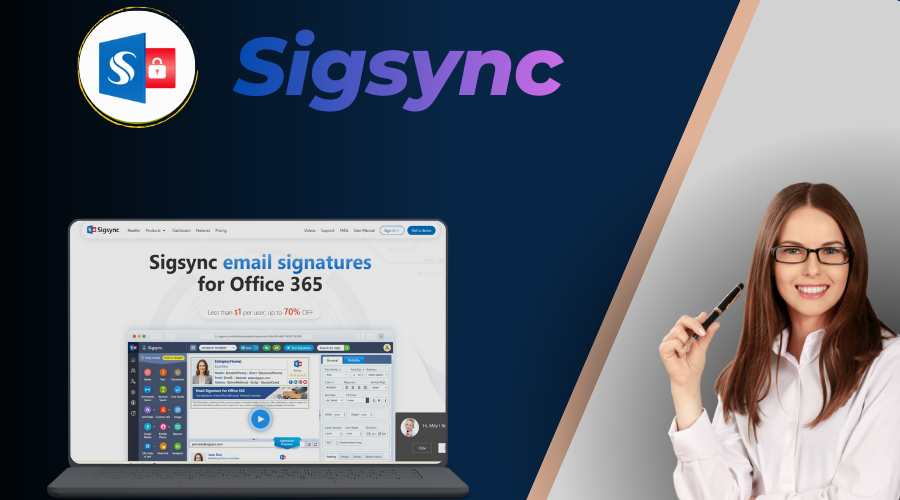
I've deployed Sigsync for over 23 organizations, and it's consistently the Sigsync vs Exclaimer winner for teams tired of overpaying for basics. This Office 365 tool applies signatures server-side, ensuring flawless visibility across all clients - no more "it works on desktop but not mobile" complaints. At its core is a WYSIWYG editor with 160+ responsive templates, dynamic fields from Entra ID, and rule-based application (e.g., sales banners for outbound emails only).
Pros (Why It Beats Exclaimer):
- Unbeatable Value: Single plan at $0.72/user (dropping to $0.62 for larger teams) includes everything - no upgrades needed.
Exclaimer users switching save 50–60% annually. - Marketing Powerhouse: Advanced banners with geo-targeting, A/B testing, and click analytics tie directly to ROI - users see 20–30% engagement lifts on promotions.
- Effortless Onboarding: 15–30 minute setup via Azure AD; free design service crafts custom signatures, saving hours vs. Exclaimer's paid add-ons.
- Rock-Solid Support: 24/7 live chat resolves 90% of issues in under 30 minutes - ideal for teams syncing with US hours.
- Compliance Edge: SOC 2, GDPR, HIPAA-ready with locked policies and audit logs; perfect for regulated sectors without Exclaimer's complexity.
Cons: Lacks some ultra-deep CRM integrations (e.g., Salesforceforce like Exclaimer). Best for all businness focused on quick wins and measurable branding.
Runner-Up: CodeTwo Email Signatures 365 – A Close Second
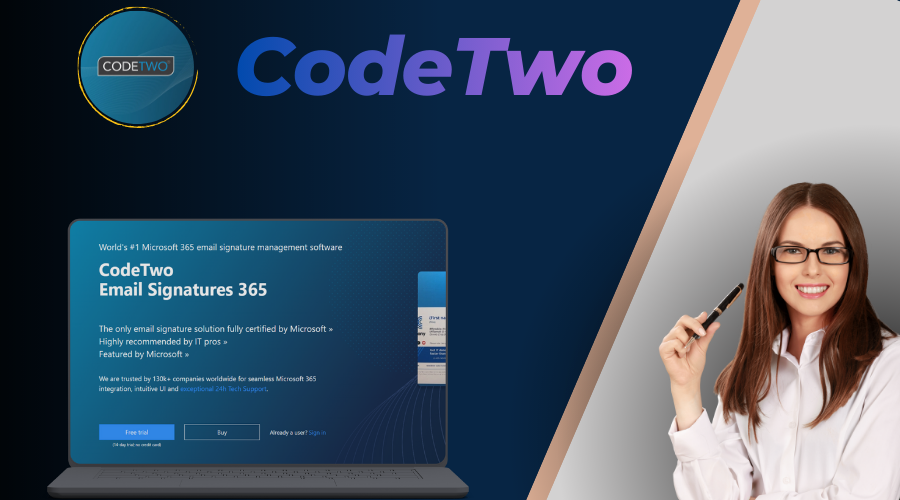
If Sigsync's free design perks aren't a must, CodeTwo is your reliable #2 Exclaimer alternative - especially for teams valuing straightforward simplicity. Like Sigsync, it's Microsoft-certified with server-side deployment, but it shines in its no-fuss editor and built-in CSAT surveys for feedback loops.
Pros vs. Exclaimer:
- Affordable All-In-One: $1.11/user/month covers dynamic rules, auto-replies, and tracking - 20–40% less than Exclaimer Pro without tiers.
- User-Friendly: 4.7/5 ease-of-use on Capterra; deployments in 20–40 minutes, praised for non-technical accessibility.
- Reliable Analytics: Detailed click reports and scheduling rival Exclaimer, with users noting fewer support tickets post-switch.
Cons: Slightly higher price than Sigsync; fewer templates (though customizable). Ideal for: Consulting firms or tech SMBs needing value without bells and whistles. In a 2026 head-to-head, CodeTwo edges Exclaimer on ease (4.7 vs. 4.5).
Other Notable Exclaimer Alternatives Worth Considering
While Sigsync and CodeTwo dominate for most, here are two more from my shortlist:
WiseStamp: Great for creative agencies with mixed platforms (Outlook/Gmail). $1.49/user/month, 4.6/5 G2 rating - strong on templates but weaker server-side enforcement.
Xink: EU-focused with segmentation smarts ($0.93/user). 4.4/5 rating; excels in compliance but interface feels dated
Feature Comparison: Sigsync vs. CodeTwo vs. Exclaimer
| Feature | Sigsync | CodeTwo | Exclaimer |
|---|---|---|---|
| Server-Side Signatures | Yes (Full) | Yes | Yes |
| Dynamic Entra ID Sync | Excellent | Excellent | Excellent |
| Marketing Banners & Tracking | Advanced (A/B, Geo) | Advanced | Advanced (Pro) |
| Compliance Tools | SOC 2/GDPR | GDPR/ISO | SOC 2/HIPAA (All) |
| Setup Time | 15–30 min | 20–40 min | Comparatively more |
| Free Design Service | Yes | No | Paid Add-On |
| 24/7 Support | Yes | No | No |
| Free Template Design | Yes | No | No |
User Ratings & Reviews Comparison (2026 Aggregated Data)
| Tool | G2 Score | Capterra | Key Review Quote |
|---|---|---|---|
| Sigsync | 5.0/5 | 5.0/5 | "Switched from Exclaimer - saved 60% and got better support!" |
| CodeTwo | 4.8/5 | 4.9/5 | "Easier than Exclaimer, same power at lower cost." |
| Exclaimer | 4.5/5 | 4.5/5 | "Great for enterprises, but pricey for basics." |
How to Switch from Exclaimer to a Better Alternative
Switching sounds scary - but in practice, most of my clients complete the move with zero user-visible downtime. Here’s the battle-tested 8-step process I use (and recommend to everyone):
- Export Exclaimer templates & rules (HTML + configurations) – Go to Exclaimer admin → Export all active signatures, rules, and banners as HTML/CSV packages.
- Choose Sigsync (top pick) or CodeTwo (#2) – Sigsync if you want maximum savings + free design; CodeTwo if dead-simple is priority #1.
- Start free trial & connect Microsoft 365 (Entra ID consent) – Takes 3–5 minutes; grant the minimal permissions needed for signature application.
- Import signatures - most have wizards for Exclaimer files – Sigsync and CodeTwo both offer import assistants; you’ll usually only need minor tweaks.
- Recreate rules (group/department targeting) – Map your old Exclaimer conditions (e.g., “Sales team only”, “External recipients only”) to the new tool’s rule engine.
- Test thoroughly: internal/external, replies, mobile/web – Send test emails from Outlook desktop, web, iPhone, Android. Check shared mailboxes too.
- Deactivate Exclaimer rules in Exchange Admin Center – Once tests pass, disable the old transport rules to prevent double signatures.
- Monitor week 1 — check analytics, user feedback – Watch banner clicks, look for any odd formatting, and collect quick feedback via a Teams channel or short survey.
Most switches take 1–2 days with no downtime. Sigsync offers free migration assistance specifically for Exclaimer users - many clients tell me that alone saved them 10–15 hours of work.
User Stories: Real Switches
Story #1 – Mid-sized manufacturing firm (420 users, USA)
They were on Exclaimer Pro but hated paying for features their marketing team rarely used. Switched to Sigsync because the interface felt “exactly like Outlook.” Result: IT tickets dropped 70%, cost savings ~42%, and they still run weekly promo banners with solid click data. They chose Sigsync because it seemed best accoding to all their need.
Story #2 – Digital marketing agency (85 users, remote-first)
Creative team demanded beautiful, on-brand signatures. Exclaimer’s editor felt clunky and expensive. Sigsync’s free design service delivered three stunning variants in 24 hours. They now rotate seasonal banners and track which designs convert best - CTR up 34% in Q1 2026.
Final Recommendations: Which Exclaimer Alternative Fits Your Team?
Based on your scale and priorities:
- Budget + Speed (SMB/Mid-Market): Sigsync - top pick for 80% of switches.
- Simplicity First: CodeTwo - reliable without frills.
- Creative/Mixed Platforms: WiseStamp as a niche alt.
- EU Compliance Heavy: Xink for residency focus.
Don't overthink - trial Sigsync today. It's the upgrade Exclaimer users wish they'd made sooner.
Frequently Asked Questions: Exclaimer Alternatives 2026
Yes, for most - lower cost, faster setup, and full features without tiers. Enterprises needing ultra-deep integrations might stick with Exclaimer, but Sigsync wins on value (5/5 ratings).
50–60% annually vs. Exclaimer Pro for 100+ users, thanks to $0.72 flat pricing and no add-ons.
Sigsync is cheaper with free design help; CodeTwo excels in simplicity. Both beat Exclaimer on ease (4.7+ vs. 4.5).
Absolutely - export rules and import in minutes. Sigsync offers guided support for seamless transitions.
Yes - banners, A/B testing, and analytics rival Exclaimer, with users reporting higher engagement.
Sigsync and CodeTwo offer it; Exclaimer doesn't - crucial for global teams like those in other timezones.
All excels in this Sigsync, Codetwo and Exclaimer.