Leave Message Templates: 45+ Copy-Paste Examples for Every Type of Leave
Whether you’re heading out for maternity leave, a vacation, a sick day, or a personal absence, you need a leave message that covers your bases and sounds like you. This guide has 45+ ready-to-use leave message templates — sorted by leave type, each one copy-paste ready. Just add your dates and a contact, and you’re done.
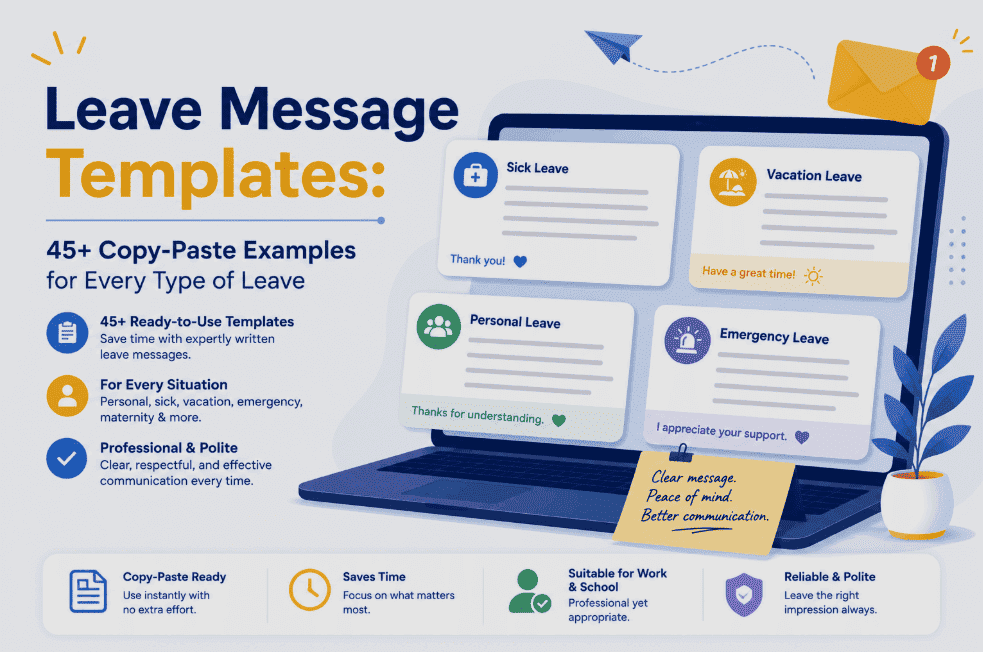
Every good leave message needs four things: the dates you’re away, whether you’ll have any access to email, who to contact instead, and when you’ll respond. Get those four right and the tone is up to you — professional, warm, or somewhere between. Below you’ll find copy-paste templates for maternity and parental leave, vacation, sick leave, personal leave, medical leave, bereavement, and study leave, plus voicemail versions and the mistakes to avoid.
Setting up a leave message feels like a tiny administrative task — the last thing standing between you and your time off. But it’s quietly one of the most-read things you’ll ever write. It sits in your inbox auto-replying to every single person who emails you, sometimes for weeks or months. Colleagues, clients, your boss, people you’ve never met — they all see it. Get it right and your absence runs smoothly and you come back to a manageable inbox. Get it wrong and you return to confusion, missed deadlines, and a pile of “did you get my email?” follow-ups.
The frustrating part is that most people either overthink it or under-think it. They either agonize over the wording, or they dash off something so vague (“I’m away, contact me later”) that it creates more problems than it solves. Neither is necessary. A good leave message follows a simple, repeatable formula — and once you know it, you can write one for any situation in about a minute.
This guide gives you that formula, then hands you 45+ templates covering every type of leave you’re likely to take. Each one is ready to copy, drop in your details, and use. Let’s start with what every leave message must include.
The 4-Part Formula Every Leave Message Needs
Before you reach for a leave message template, understand the anatomy — because once you know the four building blocks, you can adapt any message to your exact situation with confidence. Every strong leave message answers four questions the sender has:
That’s it. Dates, access, contact, response. Some messages include all four in detail; a quick sick-day note might compress them into two lines. But every effective leave message answers those questions in some form. Here’s the formula as a simple fill-in-the-blank skeleton you can build on:
Every template below is a variation of that skeleton, tuned for a specific type of leave and tone. Copy whichever fits, swap the bracketed parts, and you’re set.
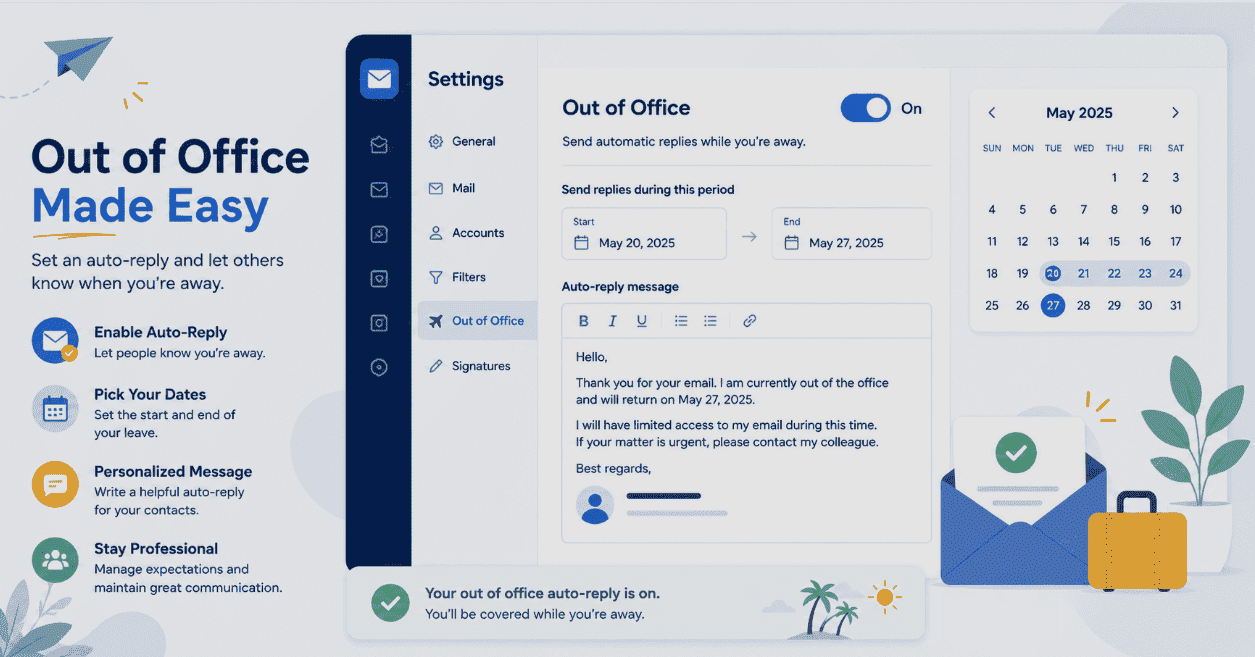
How to Set Up Your Leave Message (Outlook & Gmail)
A template is only useful if it actually goes live. Setting up an automatic reply takes under a minute in both major email clients — here’s the quick version.
- Click File → Automatic Replies (Out of Office).
- Select Send automatic replies, and set a start and end time if you know your dates.
- Type your message. Use the two tabs to set a different message for people inside your organization versus external senders.
- Click OK. It’s live.
- Open Settings (gear icon) → See all settings.
- On the General tab, scroll to Vacation responder.
- Turn it on, set your date range, add a subject and your message.
- Optionally tick only send to people in my contacts, then Save Changes.
A pro tip that saves a lot of grief: set two versions where your email client allows it — a detailed one for colleagues who need the full handover, and a shorter, more polished one for external contacts and clients who just need the essentials. And activate the message on your last working day, not the morning you leave, so anyone emailing you late gets fair warning. For a deeper walkthrough, our out-of-office message guide covers the full setup step by step.
Maternity & Parental Leave Messages
A maternity leave out of office message template deserves its own careful thought, because it’s up for a long time and read by a lot of people. A key piece of advice from those who’ve been through it: don’t promise to reply by a specific date after you return, and don’t over-commit to checking email. Remove the pressure from yourself — you may well ditch any plan to log on depending on how things go at home. Here are templates for every style and situation.
• For [Task A]: [Name] at [email]
• For [Task B]: [Name] at [email]
• For anything else: my manager, [Name], at [email]
Thank you for your patience — I look forward to connecting when I’m back.
As I wrap up today before my maternity leave, I wanted to send a quick note of thanks. I know my absence adds to your plates, and I’m so grateful for the support you’ve shown me in preparing for this. It makes stepping away far easier knowing things are in such capable hands. [Name] will be your main point of contact while I’m out. See you in [month]!
Vacation & Annual Leave Messages
Vacation messages are the most common leave message of all, and the easiest to get right. The main goals: set the return date, name a contact, and — if you truly want to disconnect — make it clear you won’t be checking in. Resist the urge to promise you’ll monitor email “occasionally” unless you genuinely will.
Sick Leave Messages
Sick leave messages need to be short, simple, and boundary-respecting. You never have to disclose any detail about your health — “I’m unwell” or simply “I’m on sick leave” is entirely sufficient. For a single sick day, a brief note is all you need; for a longer illness, add a clear contact and a rough return.
Personal Leave Messages
Personal leave covers everything from moving house to family matters to a mental-health break. The beauty of “personal leave” as a phrase is that it’s complete on its own — you owe no further explanation. Keep it clear and professional.
Extended Medical Leave Messages
Extended medical leave — surgery, recovery, a longer health matter — calls for a message that sets a longer horizon and leans more heavily on your backup contacts, since you may be away for weeks. As always, no medical detail is required.
• For [area/account]: [Name] at [email]
• For all other matters: [Manager Name] at [email]
I appreciate your patience and will respond once I’ve returned.
Bereavement Leave Messages
A bereavement message should be brief, gentle, and free of pressure — both on the reader and on yourself. You can be as private or as open as you wish. Keep contacts clear so nothing urgent stalls while you step away.
Study & Sabbatical Leave Messages
Study leave, exam leave, and sabbaticals tend to be planned well in advance and can run long, so a clear return date and solid contacts matter. These can carry a slightly warmer, forward-looking tone since they’re usually positive absences.
Voicemail Versions (Phone Away Messages)
Don’t forget your phone. If people call you as well as email you, update your voicemail greeting to match — otherwise callers are left wondering why you haven’t rung back. These are short by design; a voicemail greeting should be quick to listen to.
Leave Message Mistakes to Avoid
A few common slip-ups turn an otherwise fine leave message into a source of confusion. Steer clear of these.
Frequently Asked Questions
Every effective leave message should include four things: the dates you’re away (or an estimated return), whether you’ll have any access to email, who to contact for urgent matters (with their email and ideally phone), and when the sender can expect a response from you. That’s the core formula. You can add a warm closing line or task-specific contacts for client-facing roles, but those four elements are what keep your absence running smoothly. You’re never required to state the reason for your leave if you’d prefer to keep it private.
A good maternity leave out of office message template states that you’re on maternity leave, gives your return date (or an estimate like “I expect to return in September”), makes clear you won’t be checking email, and provides a backup contact for urgent matters. For example: “Thank you for your email. I am currently on maternity leave beginning [start date] and expect to return on [return date]. During this time I will not have access to email. For immediate assistance, please contact [name] at [email]. I look forward to connecting with you upon my return.” Importantly, avoid promising to reply by a specific date after you return — remove that pressure from yourself.
No. You are never obligated to disclose the reason for your absence in an out-of-office message. “I’m out of the office until [return date]” is completely professional and sufficient on its own. This applies to medical leave, personal leave, bereavement, and any other situation you’d prefer to keep private. Stating the reason (like “maternity leave” or “annual leave”) can be helpful because it removes any mystery and signals that your absence is planned and normal — but it’s always your choice, not a requirement.
Activate your automatic reply at the end of your last working day before the leave begins, so anyone emailing you late that day gets fair warning. For planned leave like maternity or a long vacation, you can prepare and save the message weeks in advance — just schedule it to switch on at the right time, or turn it on manually before you log off. For maternity leave specifically, some people post the message a week or two early (worded as “I’ll be going on leave beginning [date]”) so their impending absence doesn’t surprise anyone.
Yes, if your email client allows it (Outlook does this natively). A detailed internal message can include full handover information — who’s covering which projects, where to find things, more specific contacts — because colleagues need that operational detail. A shorter external message for clients and outside contacts should include just the essentials: that you’re away, your return date, and a single point of contact. This keeps internal continuity strong while presenting a clean, professional face to the outside world.
Estimate. A rough timeframe is far more helpful to senders than none at all — use language like “I expect to return in early September” or “I’ll be back around mid-October.” For situations where the return genuinely isn’t fixed (some medical or maternity leaves), you can say you don’t have a set return date and lean more heavily on your backup contact: “I don’t have a fixed return date yet, but in the meantime please contact [name] at [email].” The key is giving people a way to get help now and a general sense of when you’ll be back.
For a single sick day, keep it to two lines: state that you’re out today on sick leave, name a contact for anything urgent, and say you’ll respond when you return. For example: “Thank you for your email. I’m out of the office today on sick leave and will respond when I return tomorrow. For anything urgent, please contact [name] at [email]. Thank you for your understanding.” There’s no need to give any detail about your illness — “sick leave” or “unwell” is all anyone needs to know.
If people call you as well as email you, yes. An email auto-reply only covers people who email — callers who reach an outdated voicemail are left wondering why you haven’t returned their call. Update your voicemail greeting to mirror your email message: state that you’re on leave, give your return date, and name a contact for urgent needs. Keep the voicemail version short, since callers don’t want to sit through a long greeting. Remember to reset both your email auto-reply and your voicemail when you return.
Ready, Set, Leave
A leave message is a small thing that does a big job: it protects your time off, keeps work moving without you, and lets you step away without guilt or a chaotic return. And it all comes down to the same four elements every time — your dates, your access, your backup contact, and when you’ll respond.
Pick the template above that fits your situation, drop in your details, set it to switch on at the end of your last working day, and update your voicemail to match. Then close the laptop. Whether you’re welcoming a new baby, recharging on a beach, or simply taking a day to rest, you’ve earned this pause — and now nothing’s waiting to go wrong while you take it.