
IMAP Migration, made simple
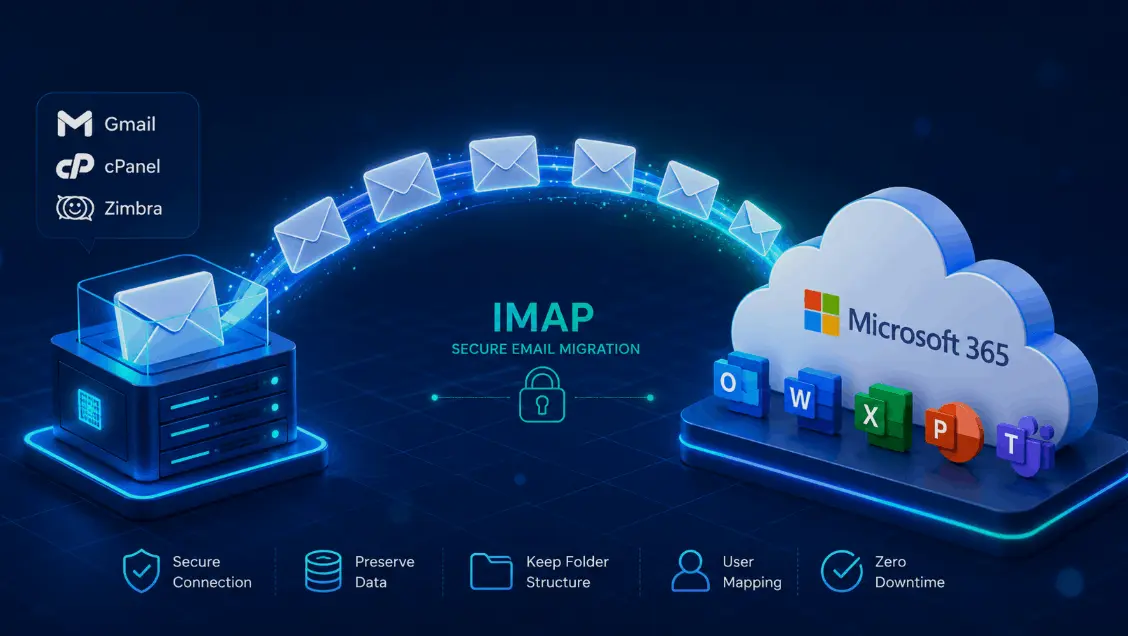
Moving email from Gmail, a cPanel host, Zimbra, Zoho, or any IMAP server into Microsoft 365? This guide covers exactly what an IMAP migration moves (and what it doesn't), the free native method, when an IMAP migration tool is worth it, and a clean step-by-step for an IMAP to Office 365 migration.
What is IMAP migration?
IMAP migration moves email from any IMAP-based mail server — Gmail, Yahoo, Zoho, Zimbra, Rackspace, or a cPanel/hosting account — into Microsoft 365 (Exchange Online). The big thing to know up front: IMAP only moves email. It doesn't carry contacts, calendars, or tasks, and it won't create the target mailboxes for you. Microsoft's native IMAP migration is free; a dedicated IMAP migration tool helps when you need more than mail or want to skip per-user passwords.
When IMAP migration is the right call
IMAP is the universal fallback — almost every mail server speaks it, so it's the go-to when there's no dedicated migration path from your source.
It's a good fit when you're leaving a hosted email provider (GoDaddy, Bluehost, or any cPanel/Plesk inbox), moving off Zimbra, Zoho, Yahoo, or Rackspace, or pulling mail out of a generic IMAP server that has no native connector to Microsoft 365. If you're coming from Google Workspace and you also need Drive, contacts, and calendars, a dedicated Google migration is usually better — but plain Gmail mail moves fine over IMAP.
Coming from on-prem Exchange instead? IMAP works, but you'll get a richer move (with calendars and contacts) via hybrid — see our Exchange migration guide.
What IMAP migration moves — and what it doesn't
This is where most IMAP projects go sideways, so let's be crystal clear before you start.
| Moves with IMAP? | |
|---|---|
| Email & folders | Yes |
| Sent items & archives | Yes |
| Contacts | No |
| Calendars | No |
| Tasks & notes | No |
| Rules & server-side filters | No |
A couple more hard limits worth planning around: IMAP migration won't create the target mailboxes — they have to exist and be licensed first — and Microsoft caps it at 500,000 items per mailbox with a 35 MB maximum message size. If you need contacts and calendars to come across too, plan to move those separately or use a tool that handles them.
IMAP migration methods
Three realistic ways to get IMAP mail into Microsoft 365, depending on what you need:
Native IMAP migration
Microsoft's built-in IMAP migration in the admin center. Free, reliable, and fine for moving mail when mailboxes already exist.
Free · mail onlyThird-party tool
A dedicated migration tool that can also bring contacts and calendars, migrate without per-user passwords, and run faster on big batches.
More than mailPST export & import
Pull mail into PST files, then import to Microsoft 365 via network upload. Handy for small or one-off moves.
Small / one-offPrerequisites for an IMAP migration
Line these up before you create a single migration batch:
- Create and license the mailboxes first. IMAP migration won't make them — every target user must already exist in Microsoft 365.
- Get the IMAP server details — the server name, port (usually 993), and encryption (SSL/TLS) for your source.
- Gather credentials for each mailbox (a CSV of email, username, and password). For Gmail, that means IMAP on and an app password.
- Verify your domain in Microsoft 365 and plan the MX cutover and Autodiscover changes.
- Plan for contacts & calendars separately since IMAP won't carry them — export/import or use a tool.
IMAP to Office 365 migration, step by step
Here's the native flow using Microsoft's built-in IMAP migration. A third-party tool follows the same shape — it just adds connect-and-map convenience and can carry more than mail.
Create & license mailboxes
Add each user in Microsoft 365 and assign a licence. IMAP migration only fills mailboxes that already exist.
Get the IMAP connection settings
Note your source server name, port (993), and encryption. You'll enter these when you create the batch.
Build the migration CSV
List each mailbox with its email address, username, and password. This tells the migration which source inbox maps to which target.
Create the IMAP migration batch
In the Microsoft 365 admin center / Exchange admin center, start a new IMAP migration, enter the connection settings, and upload your CSV.
Run the batch
Start it and watch progress. The migration keeps syncing new mail in the background, so users can keep working on the old system.
Cut over mail flow
Once data's in, point your MX records to Microsoft 365 and update Autodiscover so new mail lands in the cloud.
Reconfigure clients & stop the batch
Have users set up Outlook against the new mailbox, then stop the migration batch. Move contacts and calendars separately if needed.
When to use an IMAP migration tool
Microsoft's native IMAP migration is free and gets the mail across. But it has real gaps, and that's exactly where a dedicated tool earns its place.
| Native IMAP migration | Third-party tool | |
|---|---|---|
| Cost | Free | Paid (free trial) |
| Yes | Yes | |
| Contacts & calendars | No | Many do |
| Creates mailboxes | No | Some do |
| Needs each user's password | Yes (CSV) | Often admin-level |
| Parallel & throttling | Basic | Advanced |
| Best for | Mail-only moves | More than mail / large jobs |
Reach for a third-party IMAP migration tool when you need contacts and calendars to come along too, when collecting a password for every single mailbox isn't realistic, when you're moving a large number of mailboxes and want parallel batches with throttling handled for you, or when you simply want a friendlier connect-and-map experience than CSV files.
Tools worth a look: A dedicated IMAP migration tool like EdbMails covers the gaps native migration leaves — it can bring contacts and calendars across, connect at admin level so you skip per-user passwords, and run mailboxes in parallel. Other options include BitTitan, CodeTwo, and SysTools; we compare the leading tools side by side in our best Office 365 migration software guide.
- Brings contacts & calendars that native IMAP leaves behind.
- Admin-level connection so you don't need every user's password.
- Parallel batches + auto-throttling for faster, hands-off large moves.
- A free trial so you can test on a few real mailboxes first.
Migrating from Gmail over IMAP
Gmail is the most common IMAP source, and it has a couple of quirks worth knowing:
- Turn IMAP on in Gmail settings (Forwarding and POP/IMAP) for each account before you start.
- Use an app password. With 2-step verification on (and it usually is), the normal password won't work — generate an app password instead.
- Mind Gmail labels. Labels become folders, and a message with several labels can land in several folders — expect some duplication.
- Need Drive, contacts, and calendars too? For full Google Workspace, a dedicated Google migration beats plain IMAP.
IMAP settings for common email sources
The flow is the same everywhere — only the server name, port, and a couple of quirks change. Here are the settings for the IMAP sources we get asked about most.
cPanel / web hosting (GoDaddy, Bluehost, etc.)
- Server: usually mail.yourdomain.com — check cPanel → Email Accounts → Connect Devices for the exact host.
- Port 993 with SSL/TLS; username is the full email address.
- Use each mailbox's real password in the CSV — hosting accounts rarely use app passwords.
Zoho Mail
- Server: imap.zoho.com (or imap.zoho.eu for EU) · Port 993 · SSL.
- Enable IMAP in Zoho settings first.
- If two-factor auth is on, generate an app-specific password for each account.
Zimbra
- Server: your Zimbra hostname (e.g. mail.yourdomain.com) · Port 993 · SSL.
- Make sure IMAP is enabled in the account's class of service (COS).
- Large Zimbra mailboxes migrate fine but go slower — batch them.
Yahoo / AOL
- Server: imap.mail.yahoo.com (Yahoo) or imap.aol.com (AOL) · Port 993 · SSL.
- An app password is required — the standard password won't authenticate.
Rackspace
- Server: secure.emailsrvr.com · Port 993 · SSL.
- Use the full email address as the username with each mailbox's password.
Common IMAP migration challenges & fixes
| Challenge | Why it happens | Fix |
|---|---|---|
| Contacts/calendars missing | IMAP moves mail only | Export/import them separately, or use a tool that carries them |
| Mailbox not found | Target wasn't created first | Create and license every mailbox before the batch |
| Authentication fails | 2FA / app passwords (esp. Gmail) | Enable IMAP and generate an app password per account |
| Migration is slow | Throttling or large mailboxes | Run in batches; a tool with parallel processing helps |
| Items skipped | Over 35 MB or past the 500k-item cap | Trim oversized items; split very large mailboxes |
| Duplicate folders | Gmail labels map to folders | Tidy labels before migrating; clean up after |
After the migration
- Confirm mail flow is landing in Microsoft 365 and stop the migration batch so it doesn't keep syncing.
- Move contacts and calendars if you haven't — export from the source and import into each mailbox.
- Reconfigure every client — Outlook, phones, and any app — to the new Microsoft 365 mailbox.
- Keep the old inbox briefly as a safety net before you close the source account.
- Set up signatures & policies in Microsoft 365 — see our email signature guide to finish the rollout.
IMAP migration — frequently asked questions
What is IMAP migration?
Does IMAP migration move contacts and calendars?
How do I migrate IMAP to Office 365?
Do I need to create mailboxes before an IMAP migration?
Is there a free way to do an IMAP migration?
Do I need an IMAP migration tool?
How do I migrate Gmail to Office 365 over IMAP?
Are there limits on IMAP migration?
How long does an IMAP migration take?
Can I migrate IMAP mail without downtime?
What's the difference between IMAP migration and a cutover or hybrid migration?
Can I migrate cPanel email to Office 365?
Can I migrate Zoho or Zimbra to Office 365 over IMAP?
What IMAP port and settings does the migration use?
Why is my IMAP migration slow or stuck?
Can I migrate multiple IMAP mailboxes at once?
- Microsoft Learn — Migrate IMAP mailboxes to Microsoft 365
- Microsoft Learn — Ways to migrate mailboxes to Microsoft 365
Last updated: June 13, 2026 · Reviewed against current Microsoft 365 migration documentation.